One app. Your whole galaxy.
Elite Nexus is a free, open-source companion for Elite Dangerous (Horizons and Odyssey) on Windows 10/11, Linux and macOS. It reads your journal as you play and brings together what commanders usually run side by side: market, exploration and engineering tools, route planners, voice alerts and the websites you alt-tab to. It's one native Rust app that starts in about a second: unpack it and run it. No installer, browser engine, account or ads.
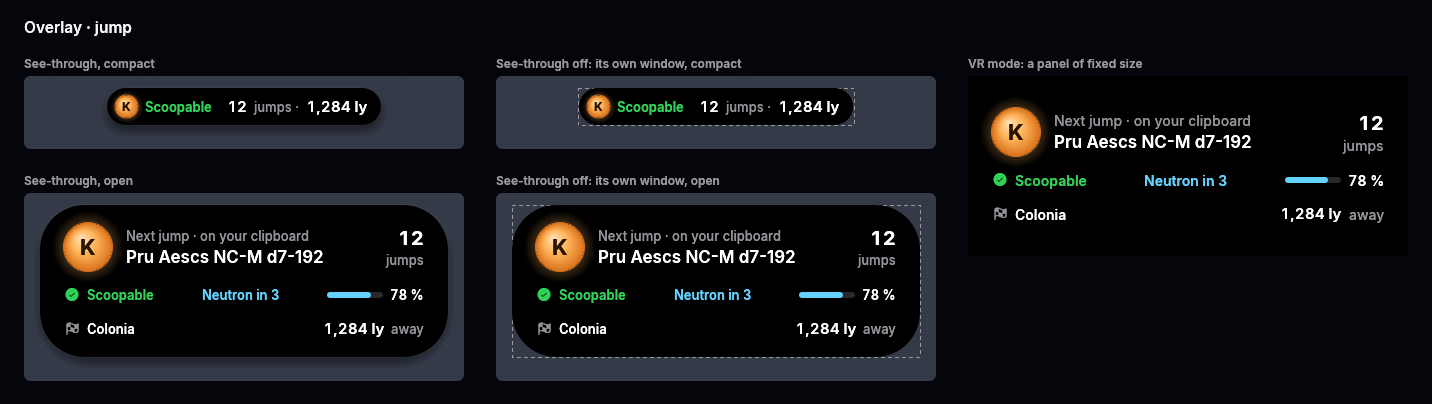
- Overlay: a small island at the top of the game's screen says what's going on in a word or two, and opens up for the moments that need you: the next jump and where the route ends, arrivals worth it, approach and sampling distance, Rhino deposits, trade stops, the landing pad you were granted, carrier countdowns and alerts. It's click-through, never takes the focus and can be fully see-through. A VR mode works with mirroring tools, and alerts can go to XSOverlay.
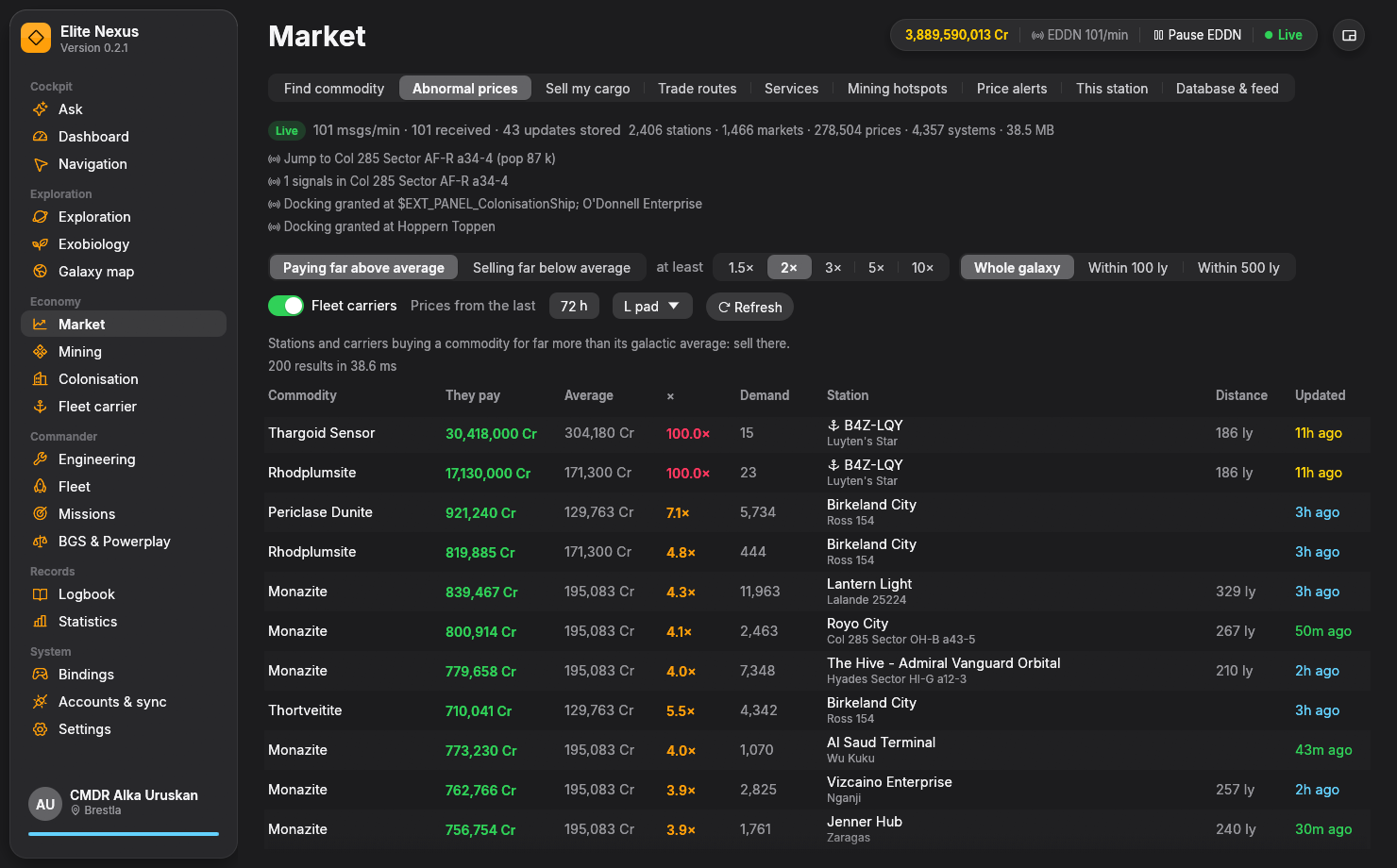
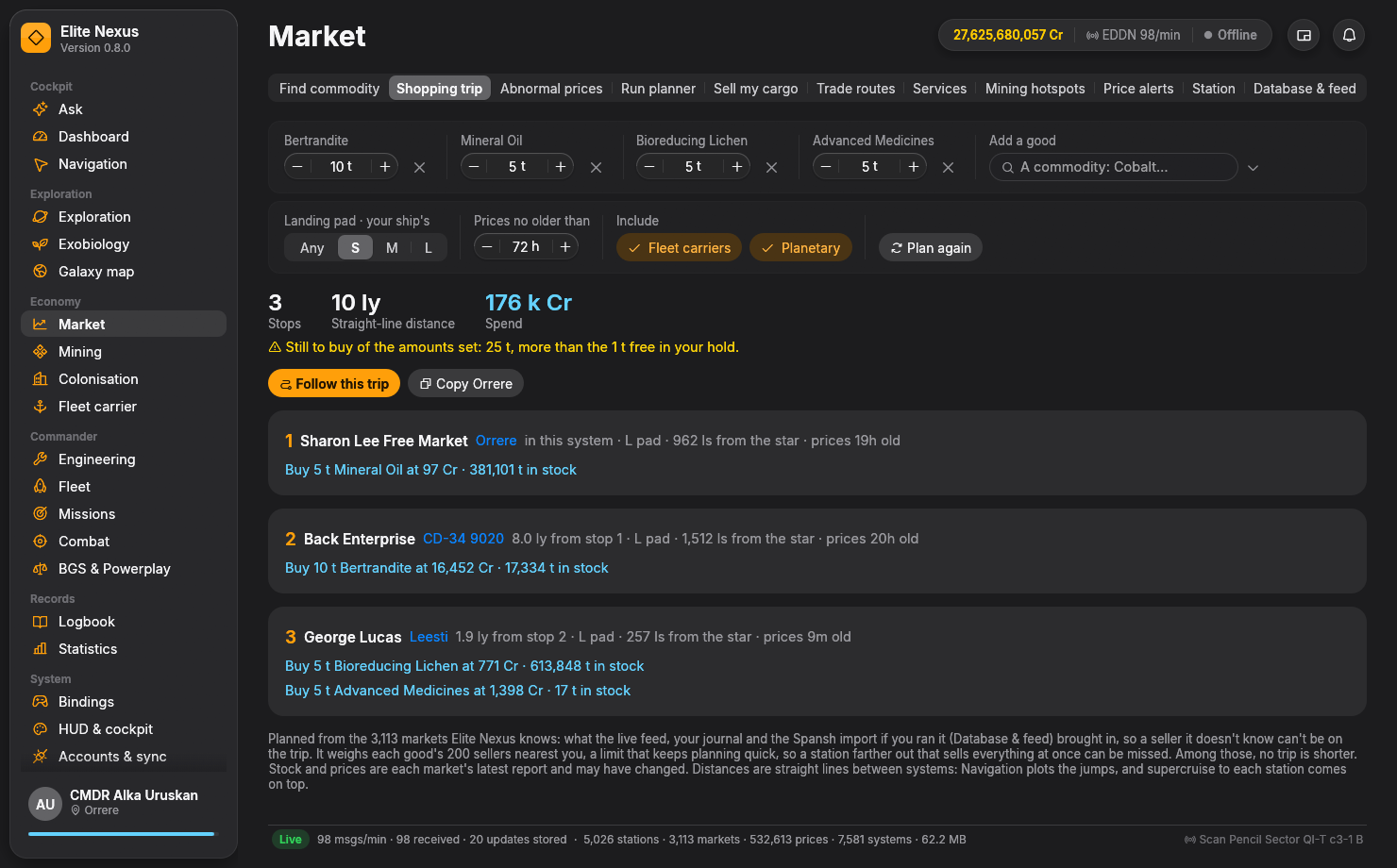
- Trading: a local market database fed live by EDDN (and, if you like, Spansh's daily dump). A page for every commodity with where to buy, where to sell and price history; your whole cargo sold at one stop; trade routes for your hold and credits; a shopping trip for several goods; abnormal prices; pins and a run planner; price alerts; up to eight station markets side by side; and the nearest material traders, brokers, Interstellar Factors and Vista Genomics.
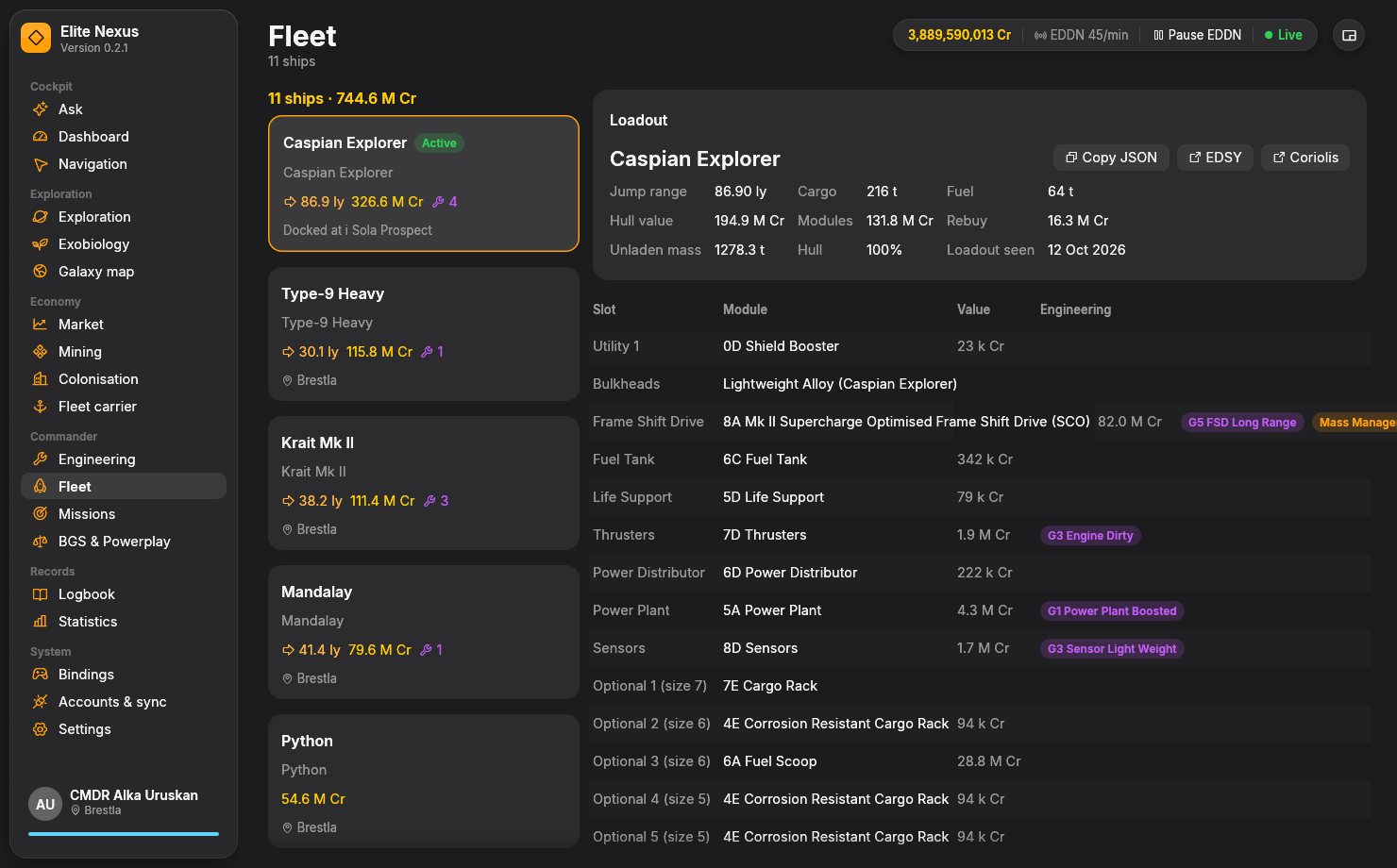
- Fleet: every ship with its engineered loadout, opened in EDSY or Coriolis in one click. Plan a loadout swaps modules and plans engineering while jump range, speed, shields, armour, weapons, power and heat follow, with saved builds and Compare. Where to buy finds the nearest stations for a ship, a module or a whole build.
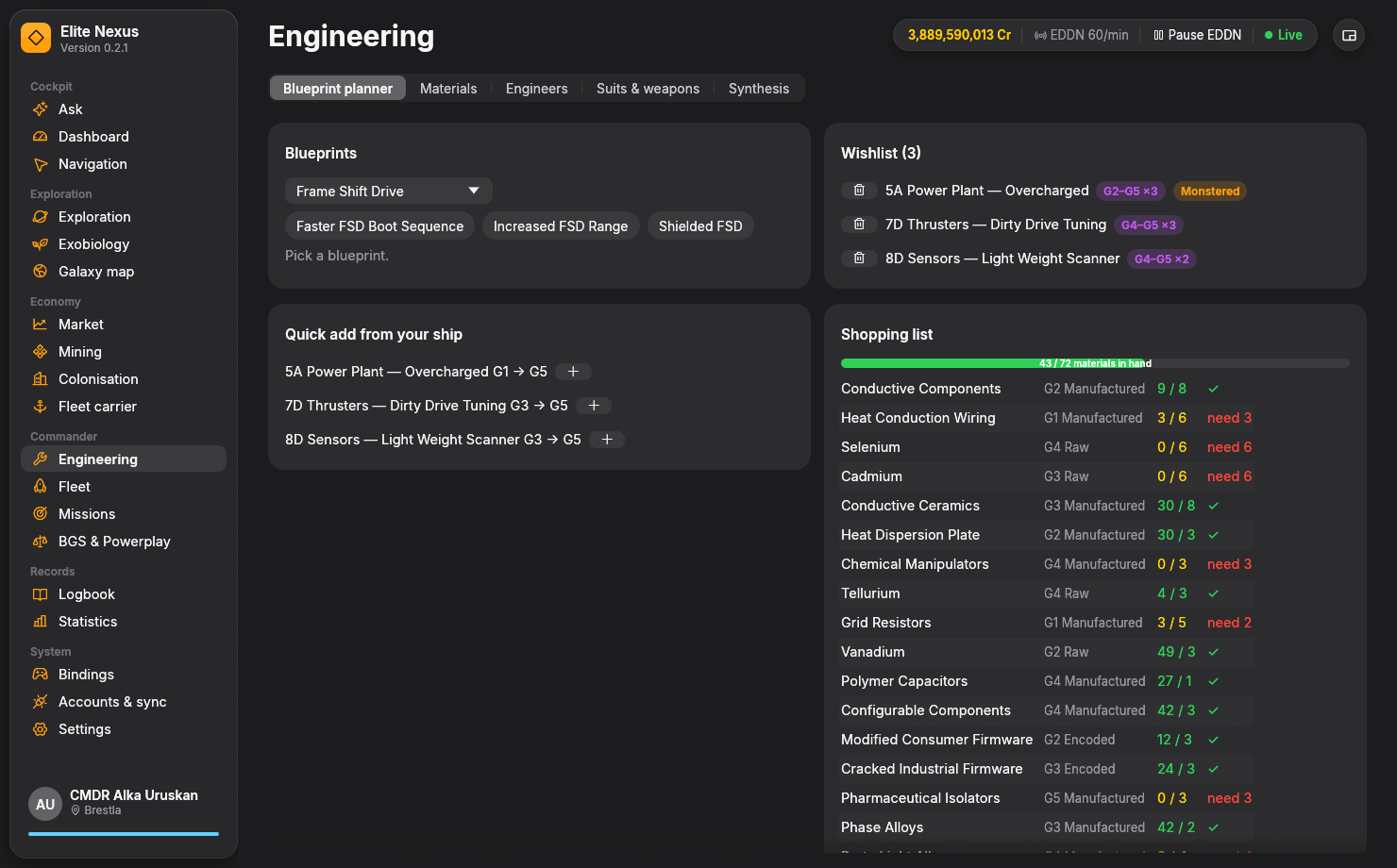
- Engineering: blueprint wishlists with each grade's rolls become a material shopping list and a trader plan, with where to get what you're short of. Every engineer's whole way to unlock them, Odyssey suits and weapons, and synthesis.
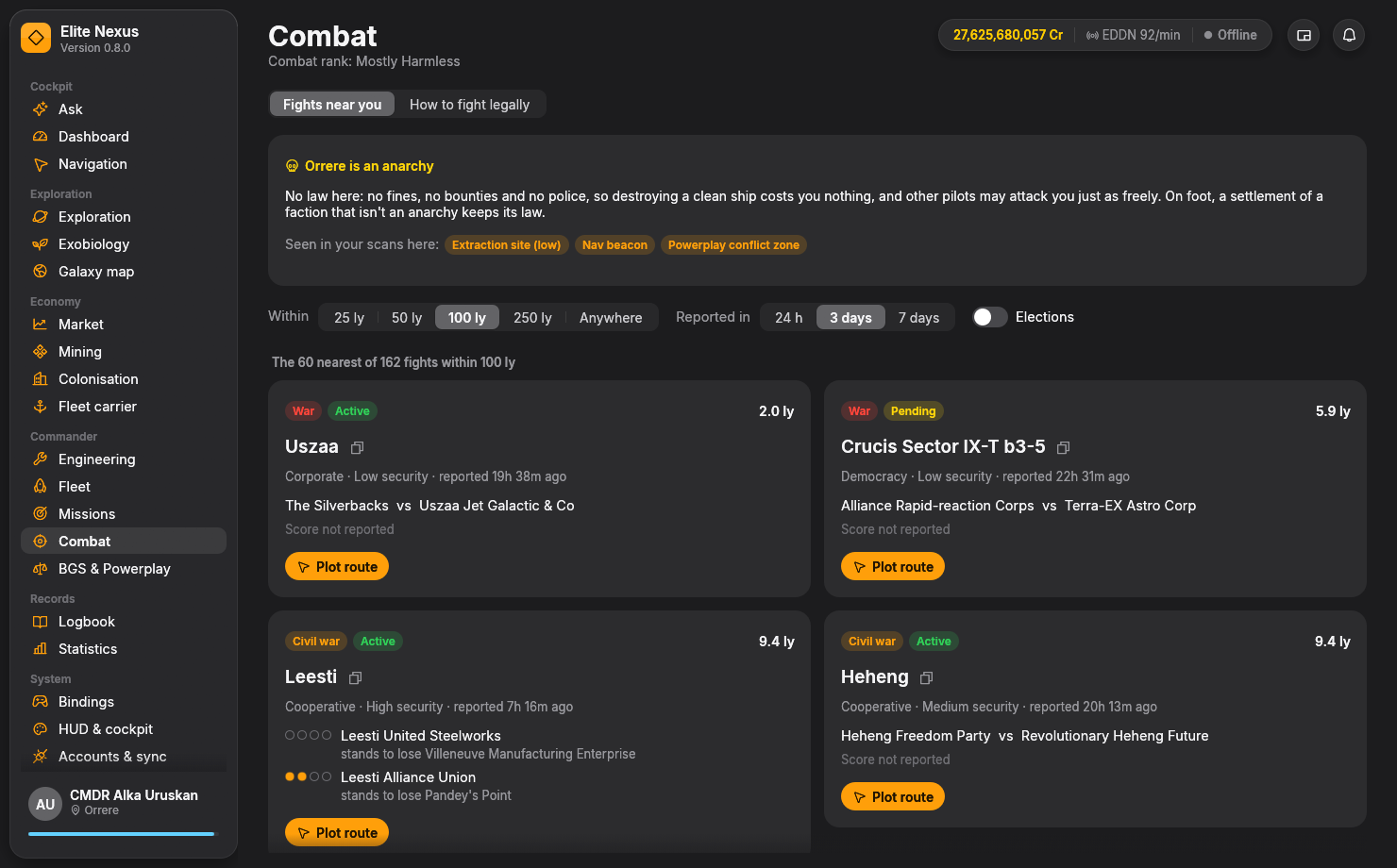
- Combat: the nearest wars and civil wars, with the days each side has won, what each stands to lose and a route there, plus a plain guide to fighting without picking up a bounty.
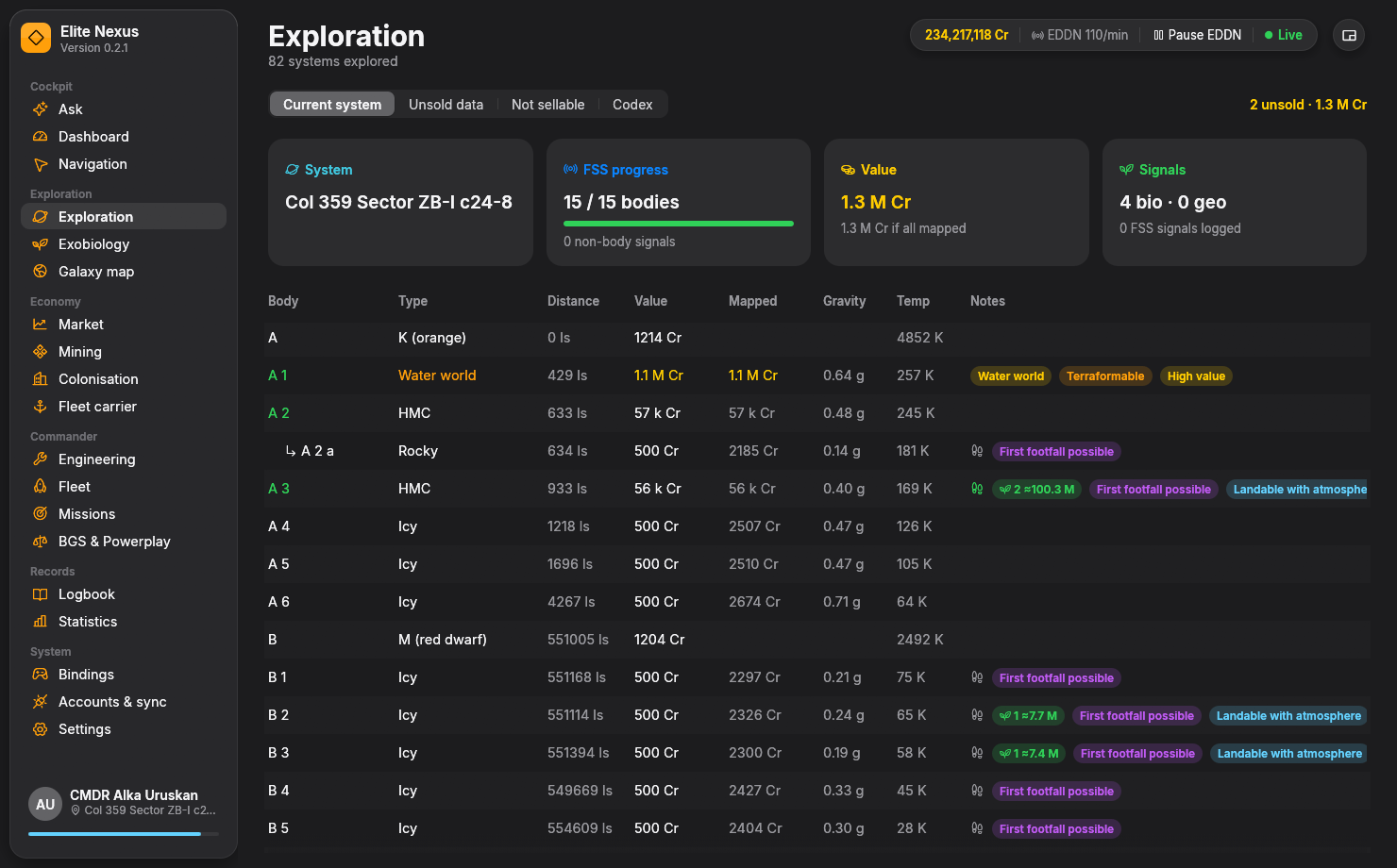
- Exploration and navigation: every body's value now and if mapped, highlights, the system's signals by kind, Road to Riches tours, unsold data and history. Spansh's neutron, exact-ship and fleet-carrier planners, the next system copied after every jump, back to your carrier in one click, and a galaxy map of everywhere you've been.
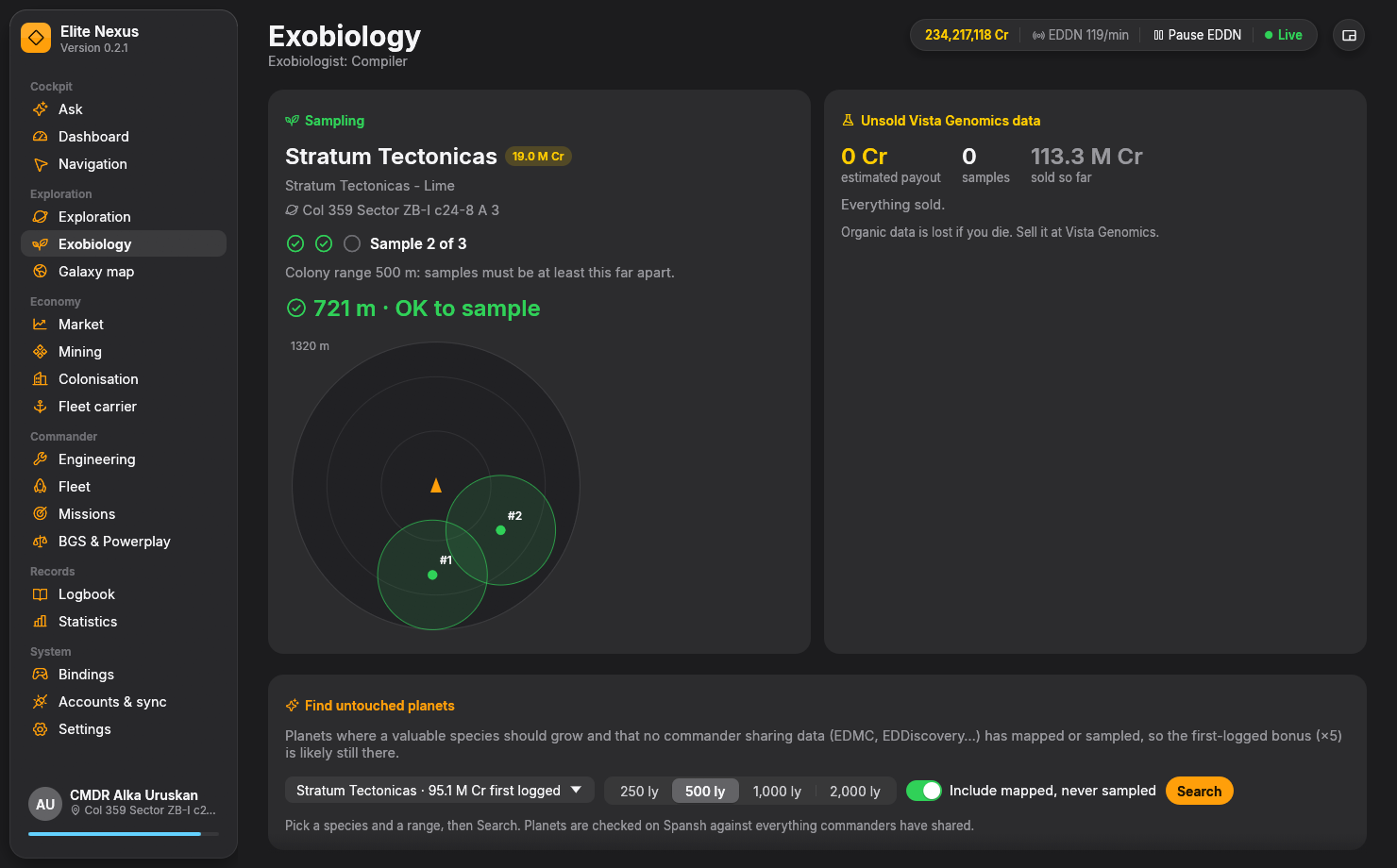
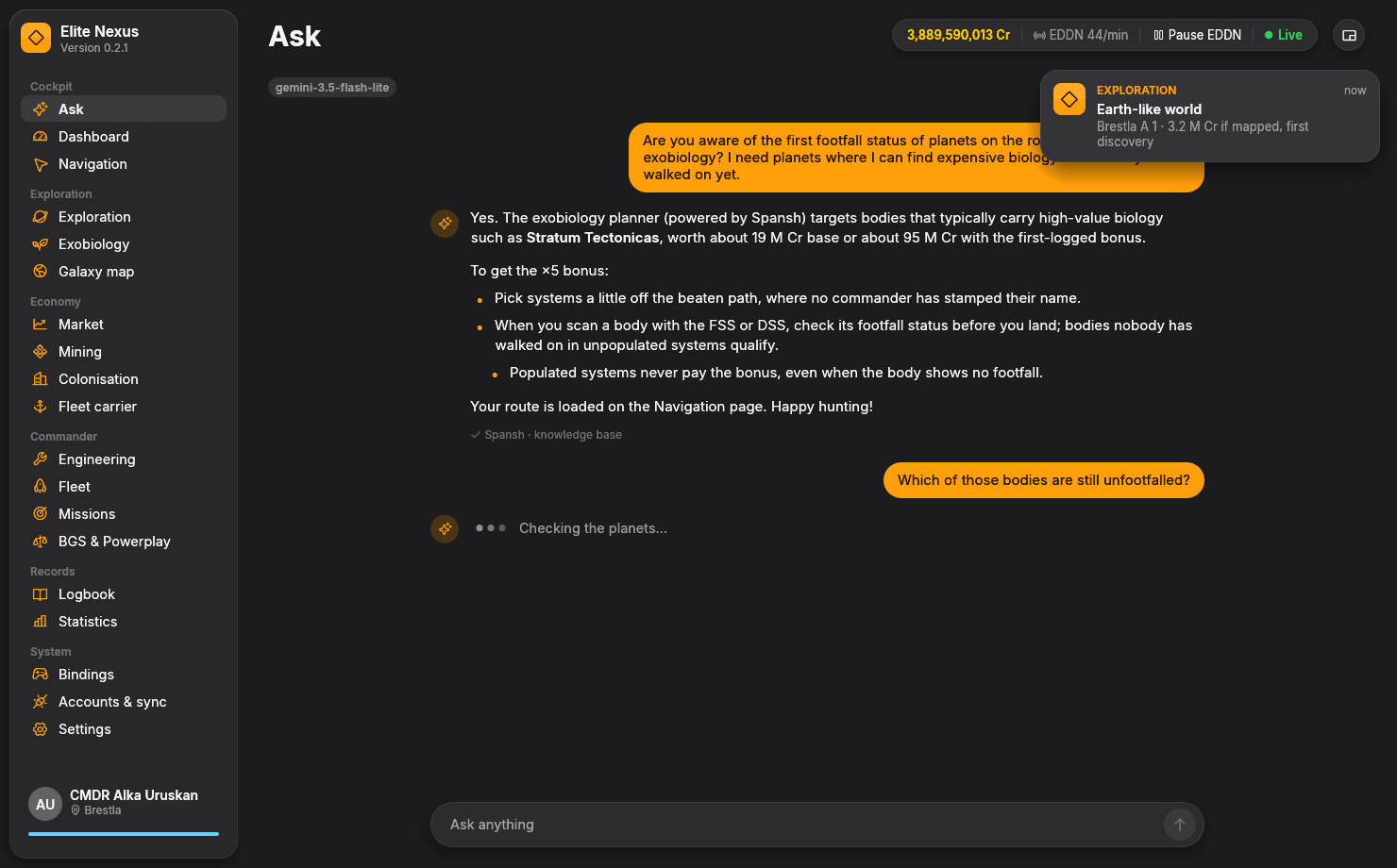
- Exobiology: a live sampling radar with colony-range circles that says when it's OK to sample, species predictions before you land, unsold Vista Genomics data, and a hunt for planets where the first-logged bonus may still be open (leads, not guarantees).
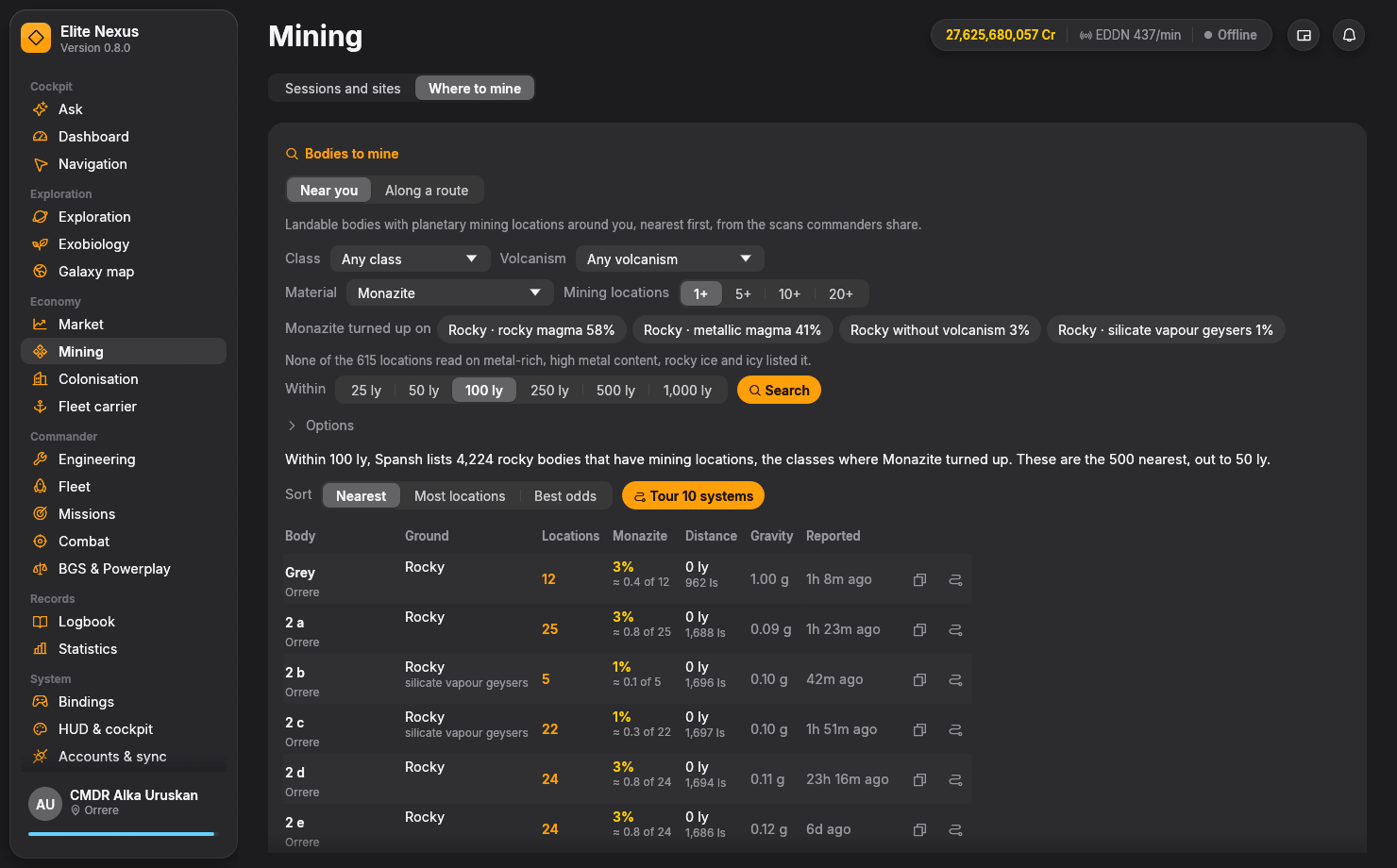
- Mining: live sessions with tonnes per hour, prospectors and motherlodes; Rhino surface mining sites with a radar to their deposits; and where to mine next, with the odds of each material.
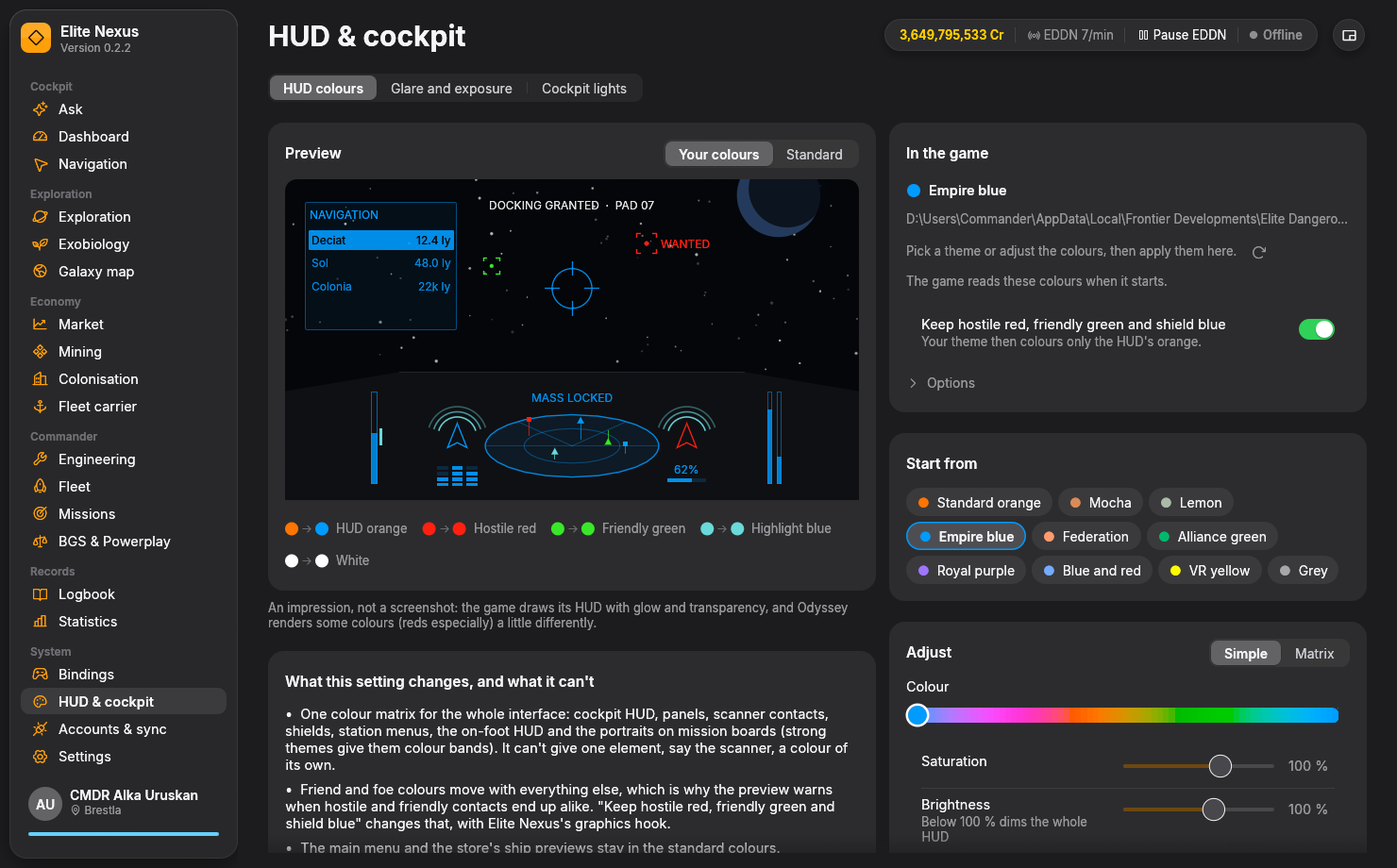
- HUD colours: community themes (credited to their authors) or your own colour, saturation and brightness, with a live cockpit preview that warns when friend and foe would look alike. Optional protection keeps hostile contacts red, friendlies green and shields blue.
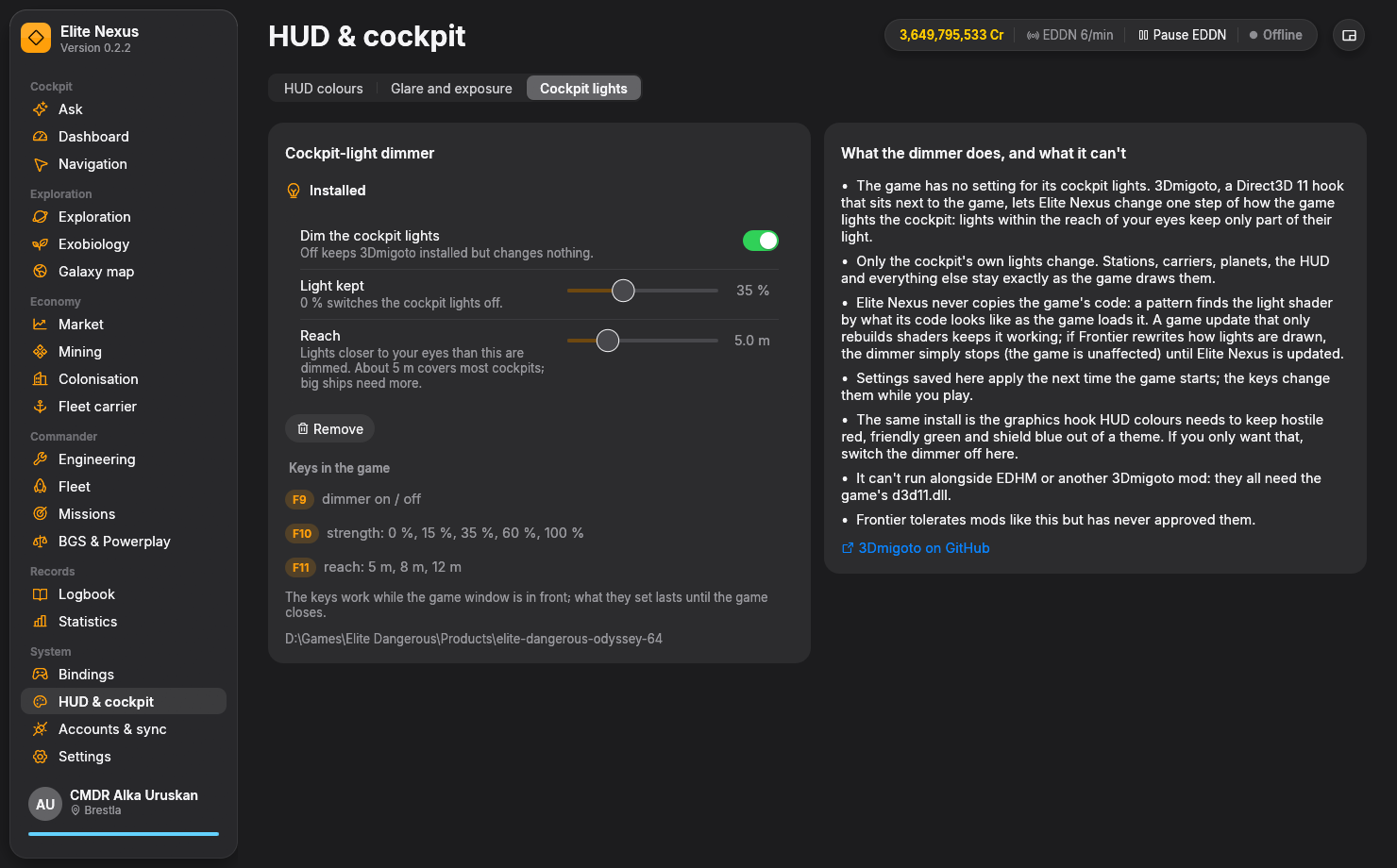
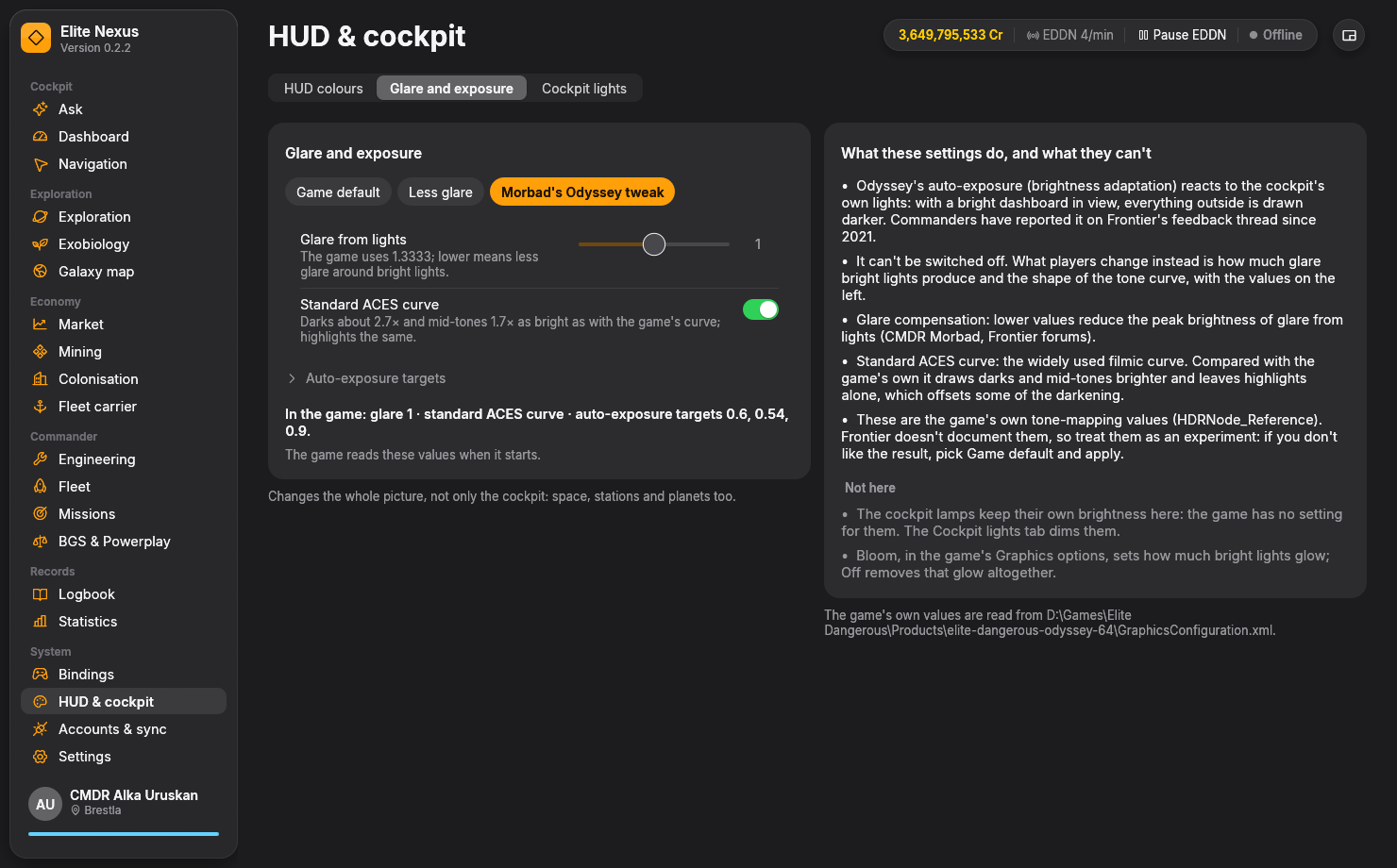
- Cockpit lights and glare: dim the cockpit's own lamps and glow and nothing else, with in-game keys (F9 on/off, F7 how much light stays, F8 reach). Tame Odyssey's glare and lift dark detail with the game's own tone-mapping values, starting from community presets.
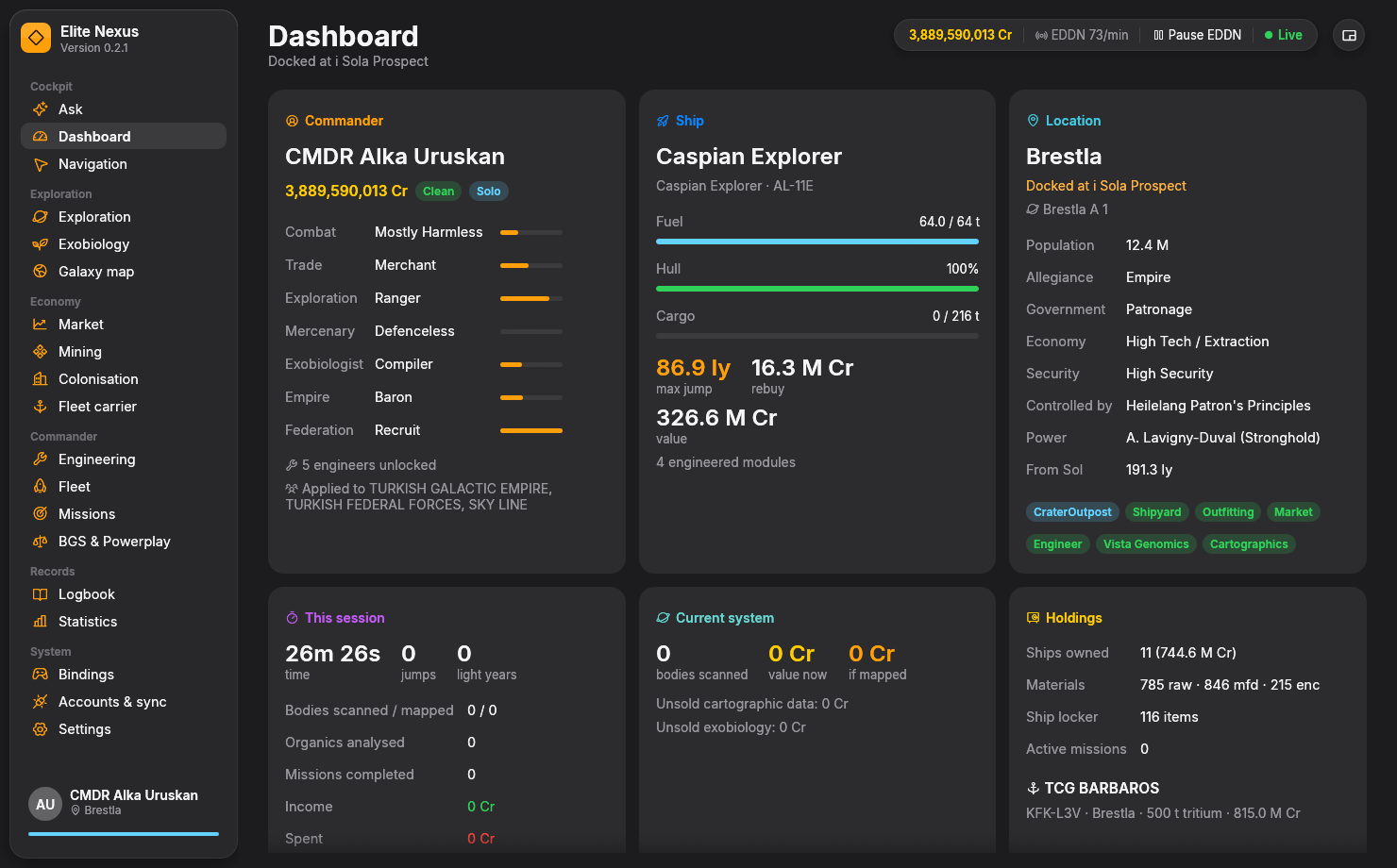
- Commander tools: dashboard, missions and massacre stacks, your fleet carrier and your squadron's with a live jump timer, colonisation depots and where to buy what they need, BGS and Powerplay merits per system, Statistics in plain words, a searchable logbook, bindings with printable reference cards, spoken alerts with an alert history, and screenshots saved as PNG.
- Optional AI co-pilot: ask about cargo, routes, markets, engineering or biology, answered from your commander, journal, market database and Spansh. Gemini, Claude or a local model; nothing else in the app needs it. AI agents such as Claude Code can use its read-only tools too (off by default).
Your data, your choices. Your journals are only ever read. EDDN, EDSM, Inara and EDAstro uploads each have their own switch, stay off until you turn them on, and send live events only, never your journal history. API keys are encrypted with DPAPI on Windows; on Linux and macOS they aren't, and the app says so. Cloud AI sends your questions and the context they need to the provider you pick; with a local model, nothing goes to an AI provider.
Requirements: Windows 10/11 (64-bit), Linux (64-bit, with the game under Proton or Wine) or a Mac with Apple Silicon (the game under NotProton, CrossOver or Whisky; an Intel Mac can build it from the source), and the game's PC journals. Plain HUD themes and glare use the game's own settings file. HUD colour protection and cockpit dimming use the optional 3Dmigoto hook, installed and removed in one click; it can't run alongside EDHM, and it's untested under Proton and on macOS so far. The overlay needs the game in Borderless or Windowed mode.
Free software under GPL-3.0-or-later. An unofficial community tool, not affiliated with or endorsed by Frontier Developments.