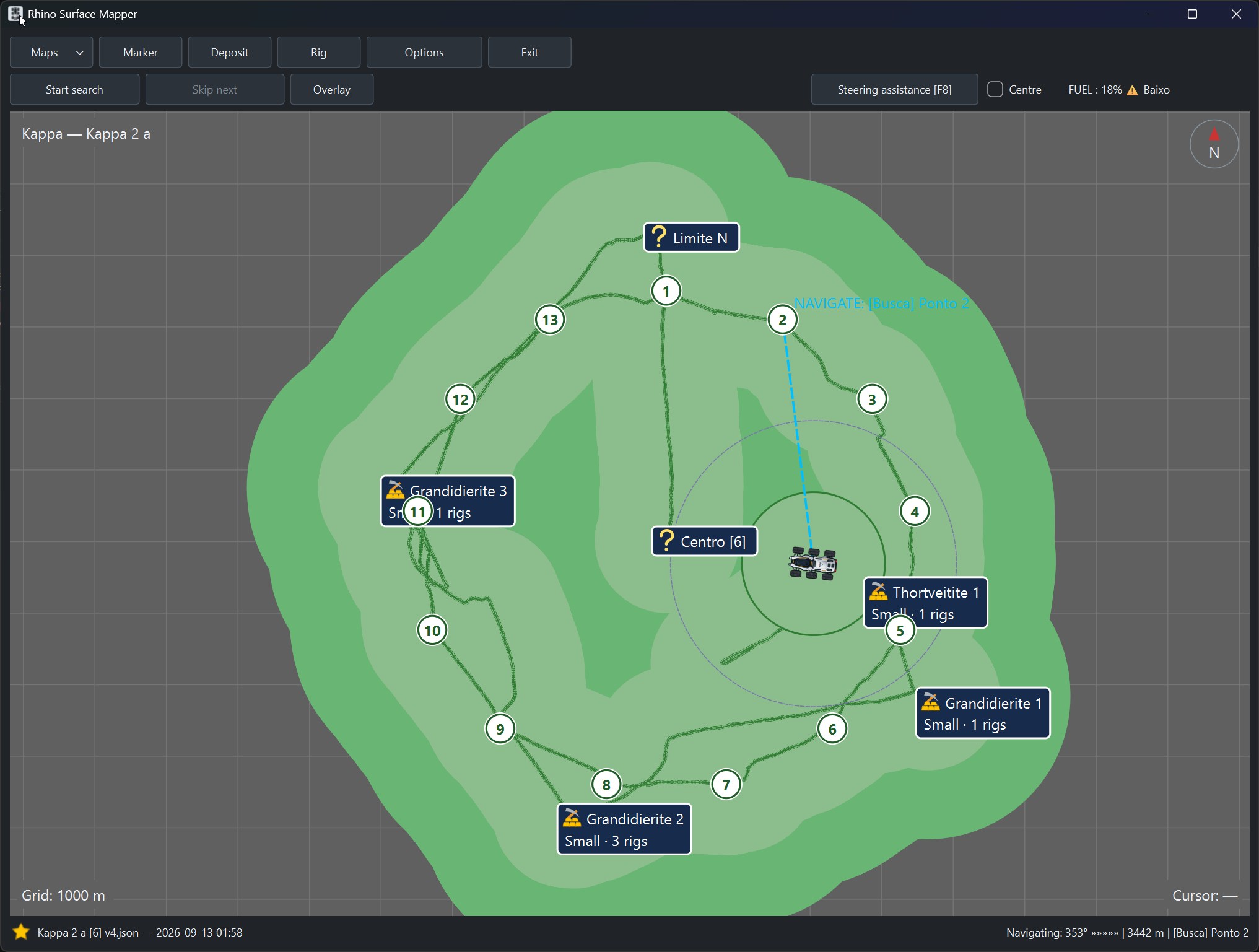
Rhino Surface Mapper is an independent companion application for Elite Dangerous Commanders, designed for planetary surface exploration, SRV mining, and navigation.
SURFACE MAPPING
-
Live SRV position, heading, and fuel telemetry.
-
Persistent maps with exploration tracks and systematic search routes.
-
Recording of mining deposits, rigs, and named markers.
-
Radar coverage and radar pulse visualization.
-
Navigation to recorded points of interest.
-
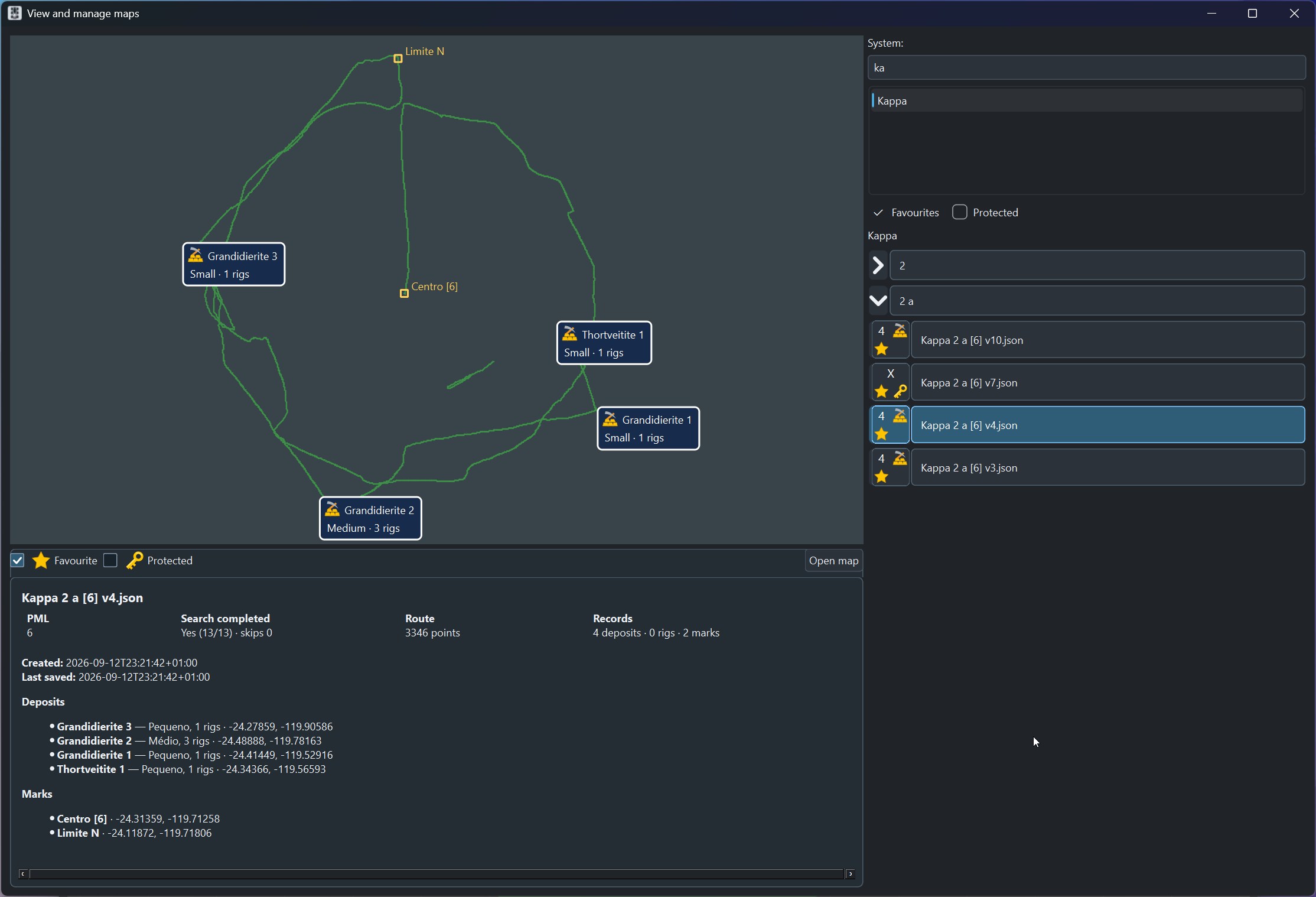
Saving, reopening, and managing exploration maps.
SHIP-ASSISTED EXPLORATION — NEW IN BETA 3
-
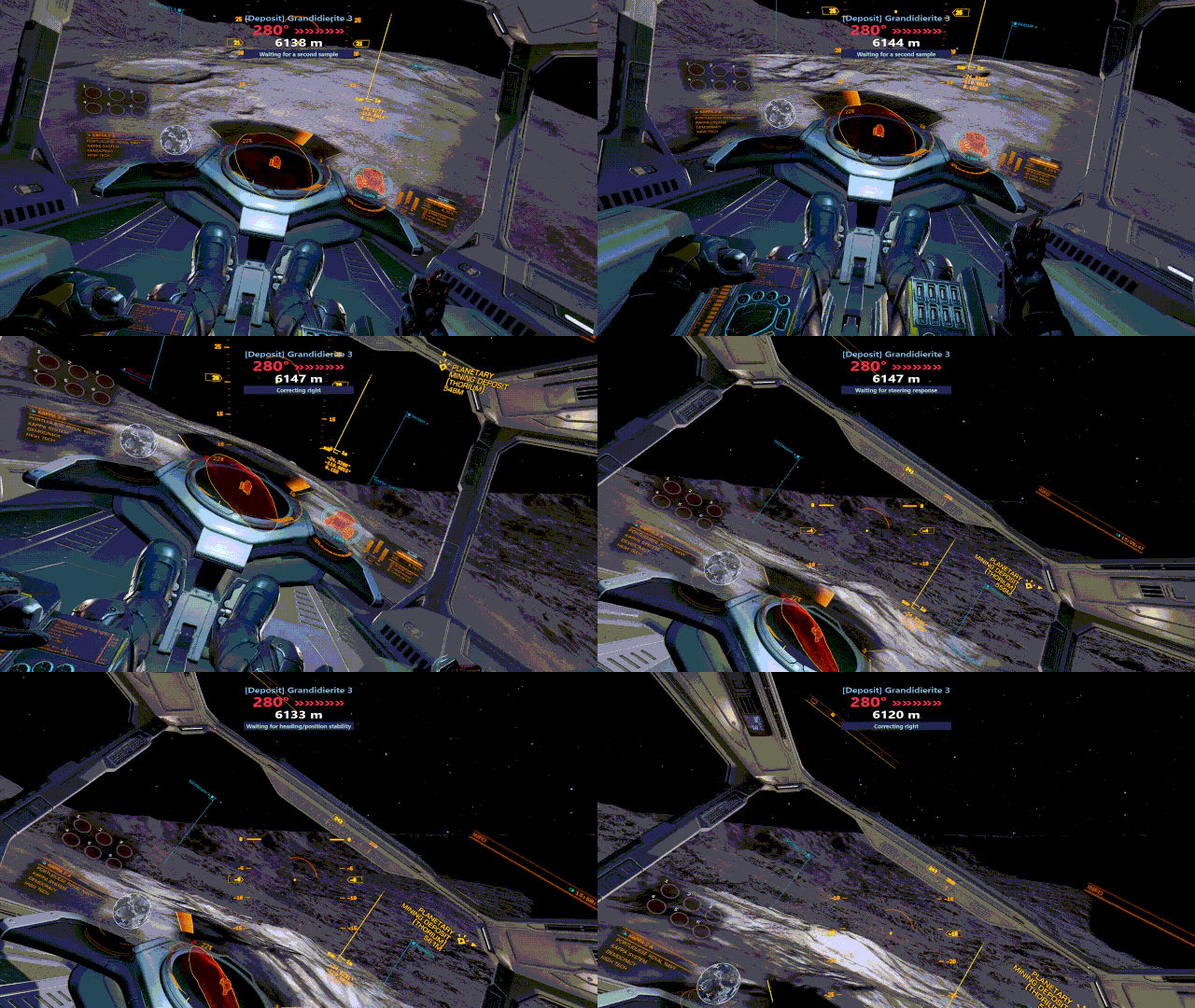
Keep the active PML map visible after returning to the ship, when game telemetry and map correspondence are valid.
-
Display the ship's position and heading.
-
Navigate directly to deposits, rigs, markers, and other recorded destinations.
-
Explore flexibly without having to follow a fixed deployment pattern.
AIRLIFT — NEW IN BETA 3
-
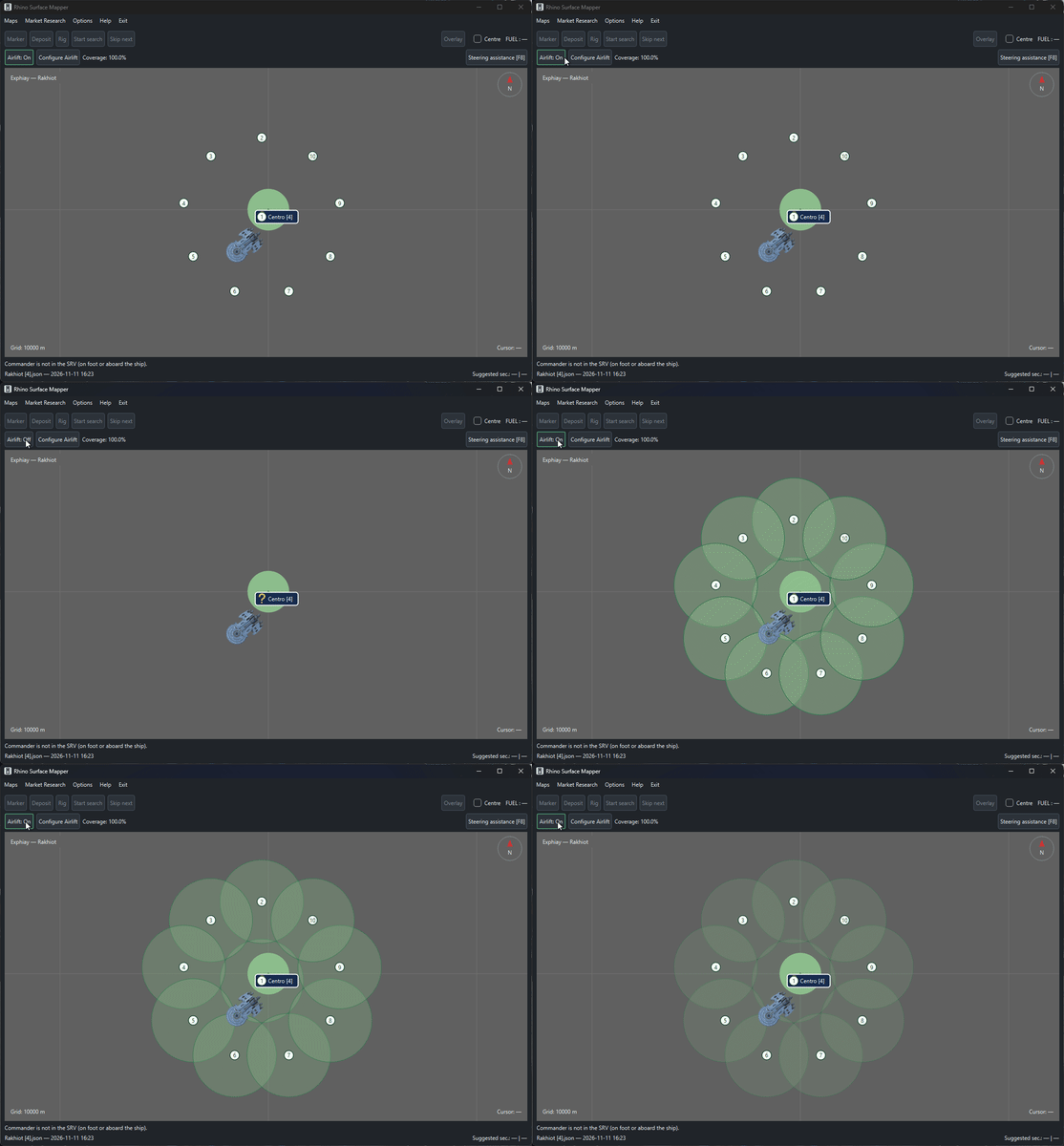
Plan Rhino deployment points for Planetary Mining Locations (PMLs) with radii of 5 km or 7 km.
-
Visualize 2 km coverage circles around planned deployment points.
-
Select from available operational deployment counts.
-
See estimated geometric coverage update as the configuration changes.
-
Navigate to planned deployment points using the SRV or ship.
Airlift provides optional survey planning and does not replace free exploration or the existing Start search workflow.
Airlift was inspired by a suggestion from Commander @JackInTheMines. The final deployment geometry was adapted to RSM's operational requirements.
SURFACE MINING MARKET RESEARCH
-
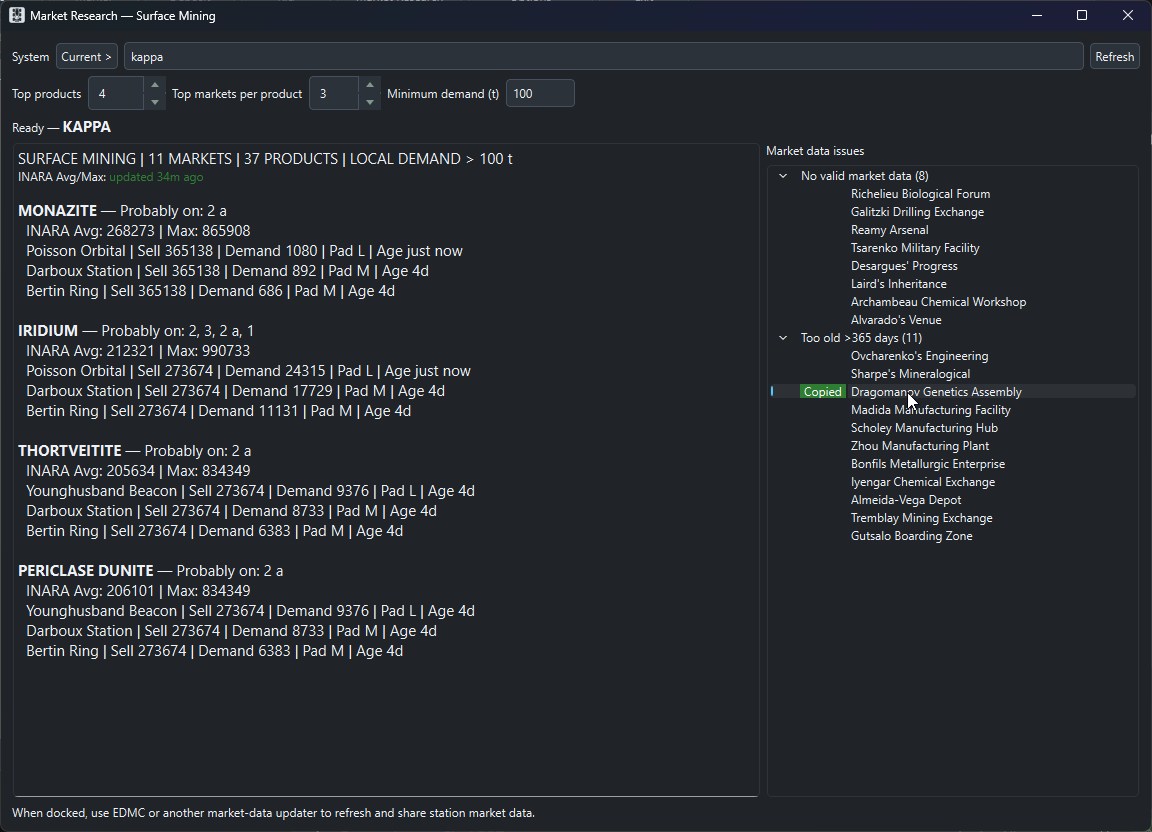
Find markets with demand for surface-mined commodities.
-
View market prices, demand, and data freshness where available.
-
Identify probable planet types for obtaining commodities.
-
Use Spansh and INARA market information to help identify potential Powerplay merit opportunities.
MAP LIBRARY
-
Browse saved maps and their recorded locations.
-
Manage Favorites, Protected maps, and map versions.
-
Move maps to Trash and restore them.
NAVIGATION AND INTERFACE
-
Transparent navigation overlay for use while playing.
-
Optional steering assistance using valid telemetry and configured inputs.
-
Reorganized three-row menu and toolbar layout.
-
Automatic and manual GitHub update checking.
-
System, Dark, and Light interface themes.
-
English and Portuguese (Portugal) localization.
INSTALLATION
Portable Windows x64 application. Extract the complete ZIP into a writable folder and run RhinoSurfaceMapper.exe. No separate Python installation is required.
When upgrading, use a new folder and copy MAPAS/, MAPAS_TRASH/ (if present), and options.json from your previous installation.
Rhino Surface Mapper is created and maintained by CMDR Paulo Gaspar. It is an independent Elite Dangerous community project and is not affiliated with or endorsed by Frontier Developments.