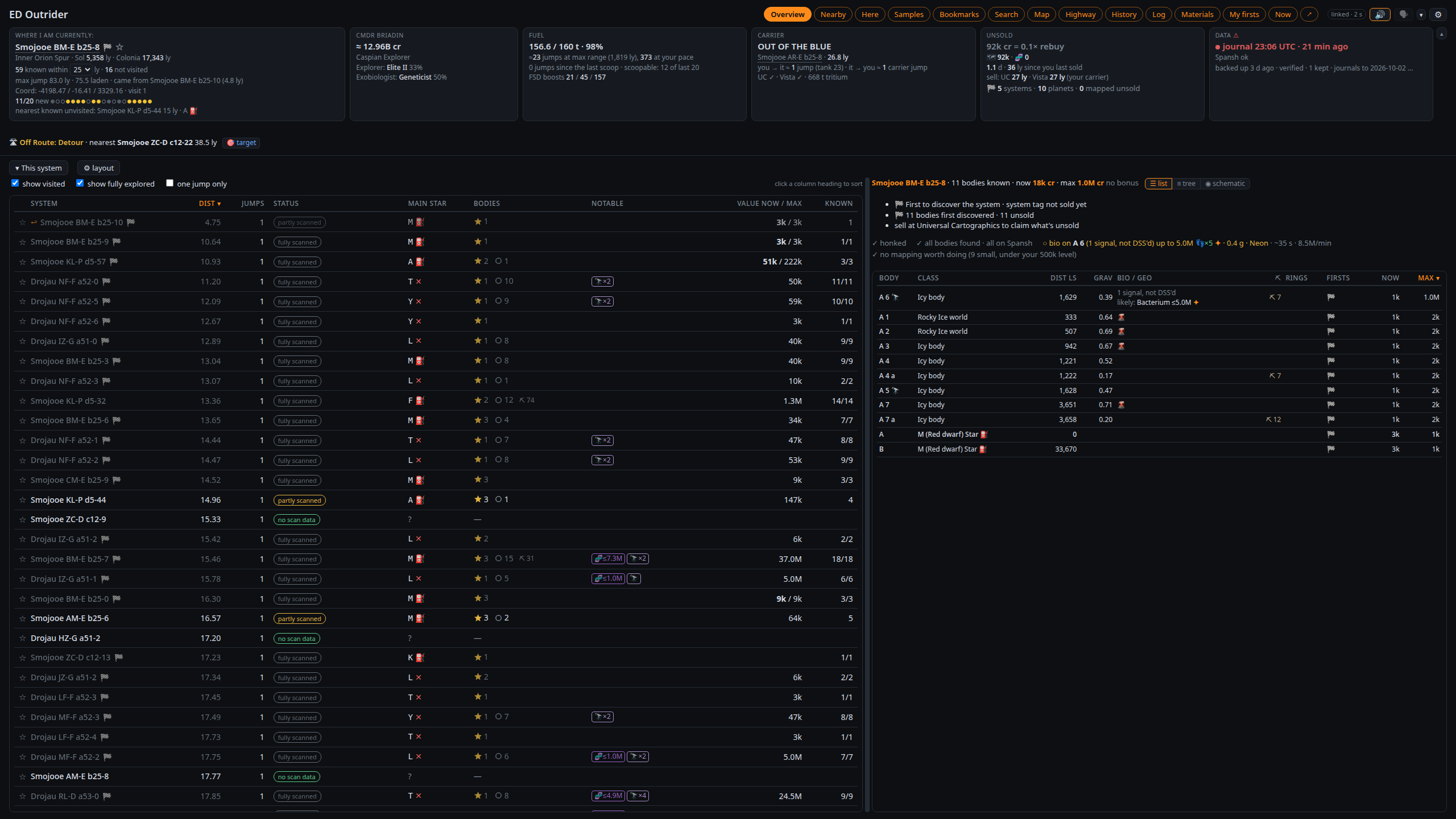
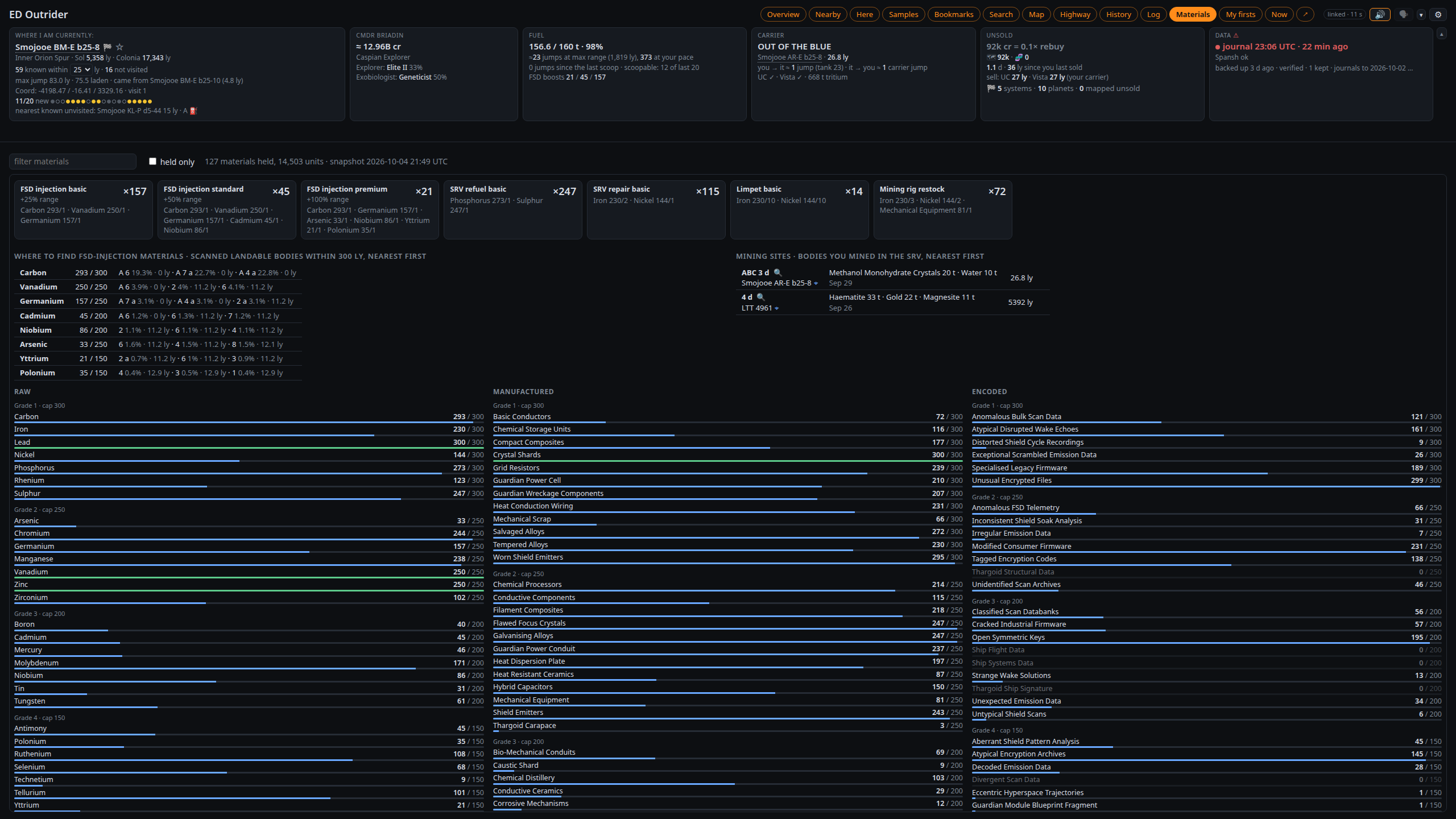
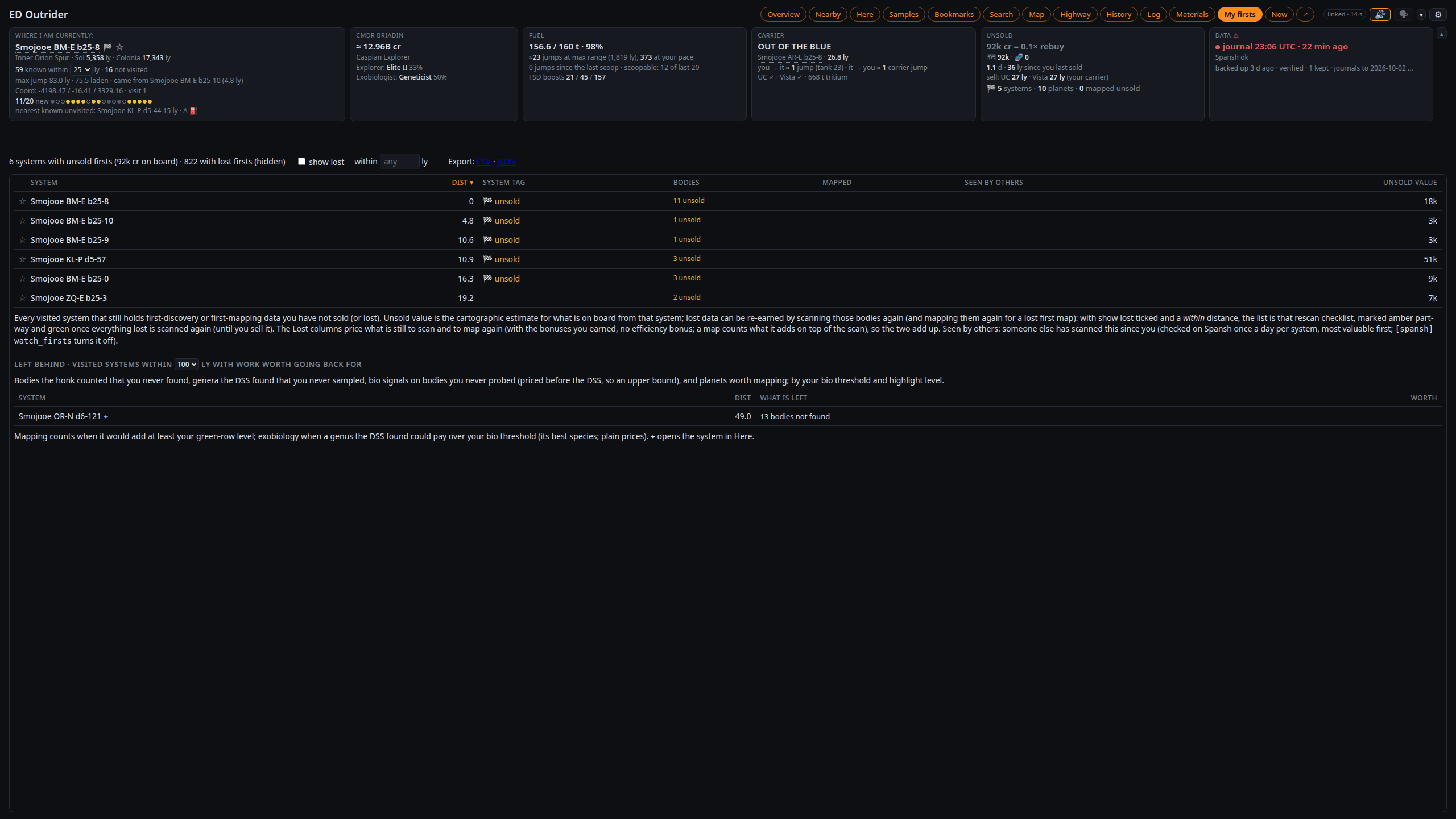
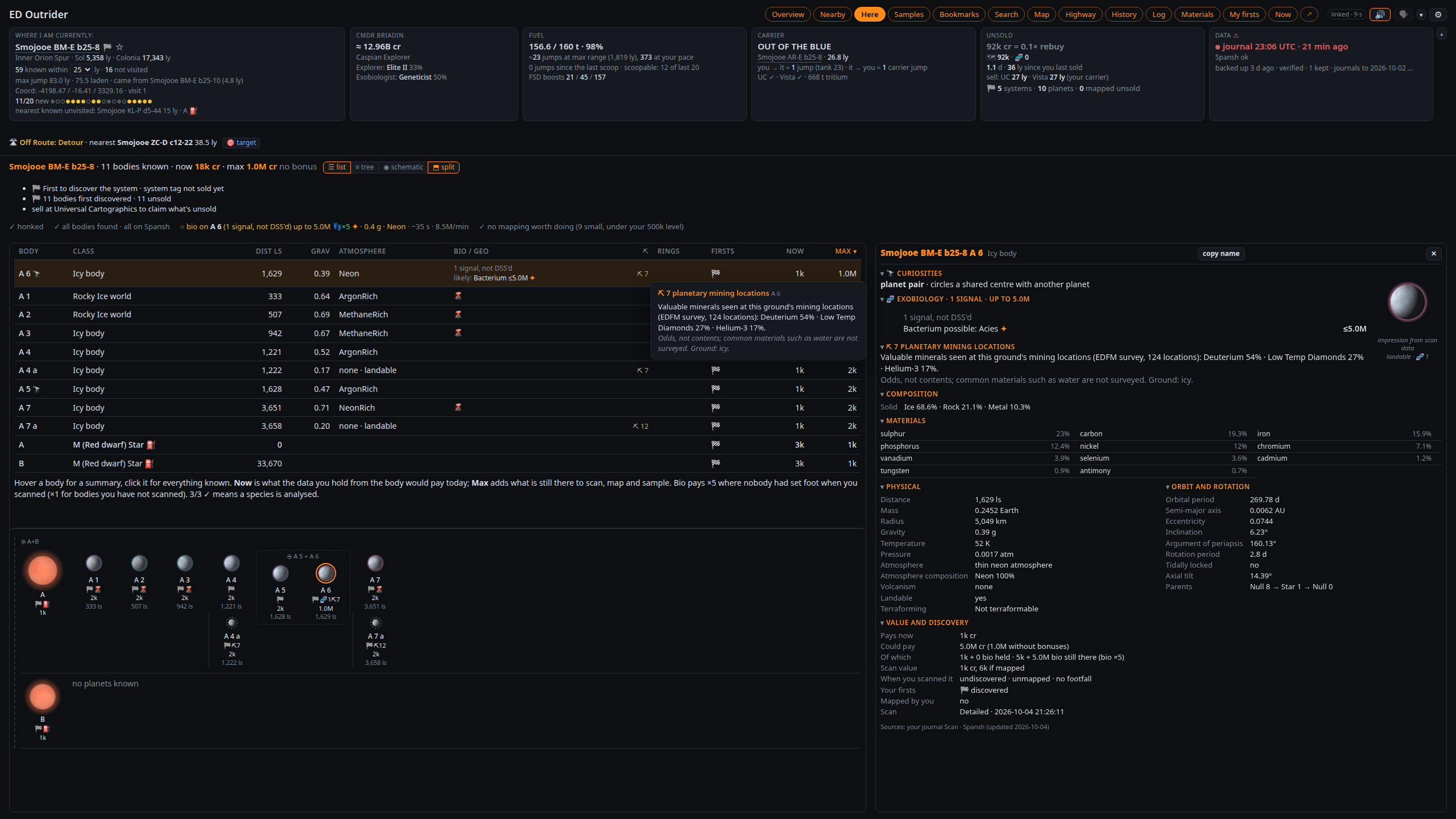
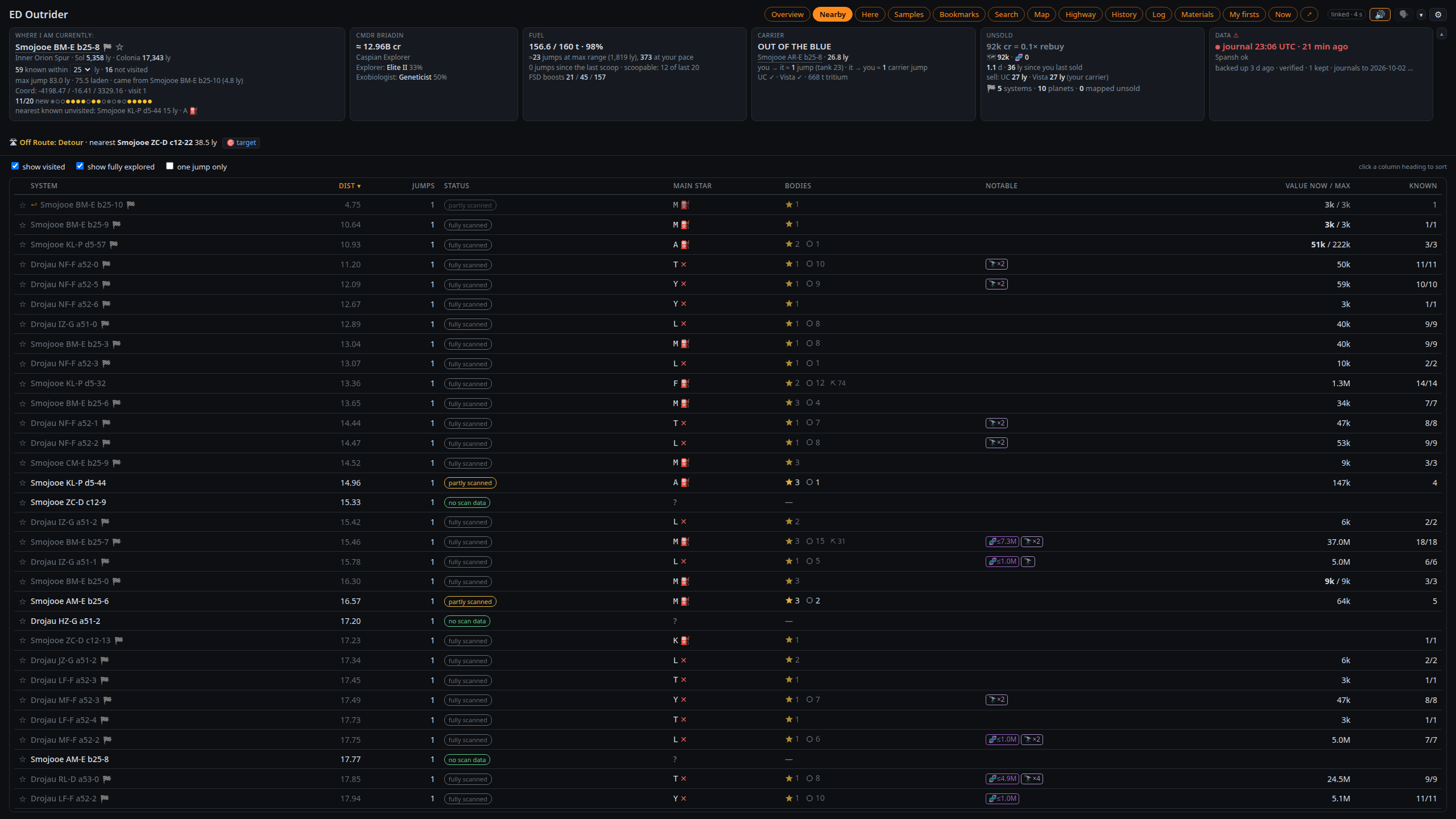
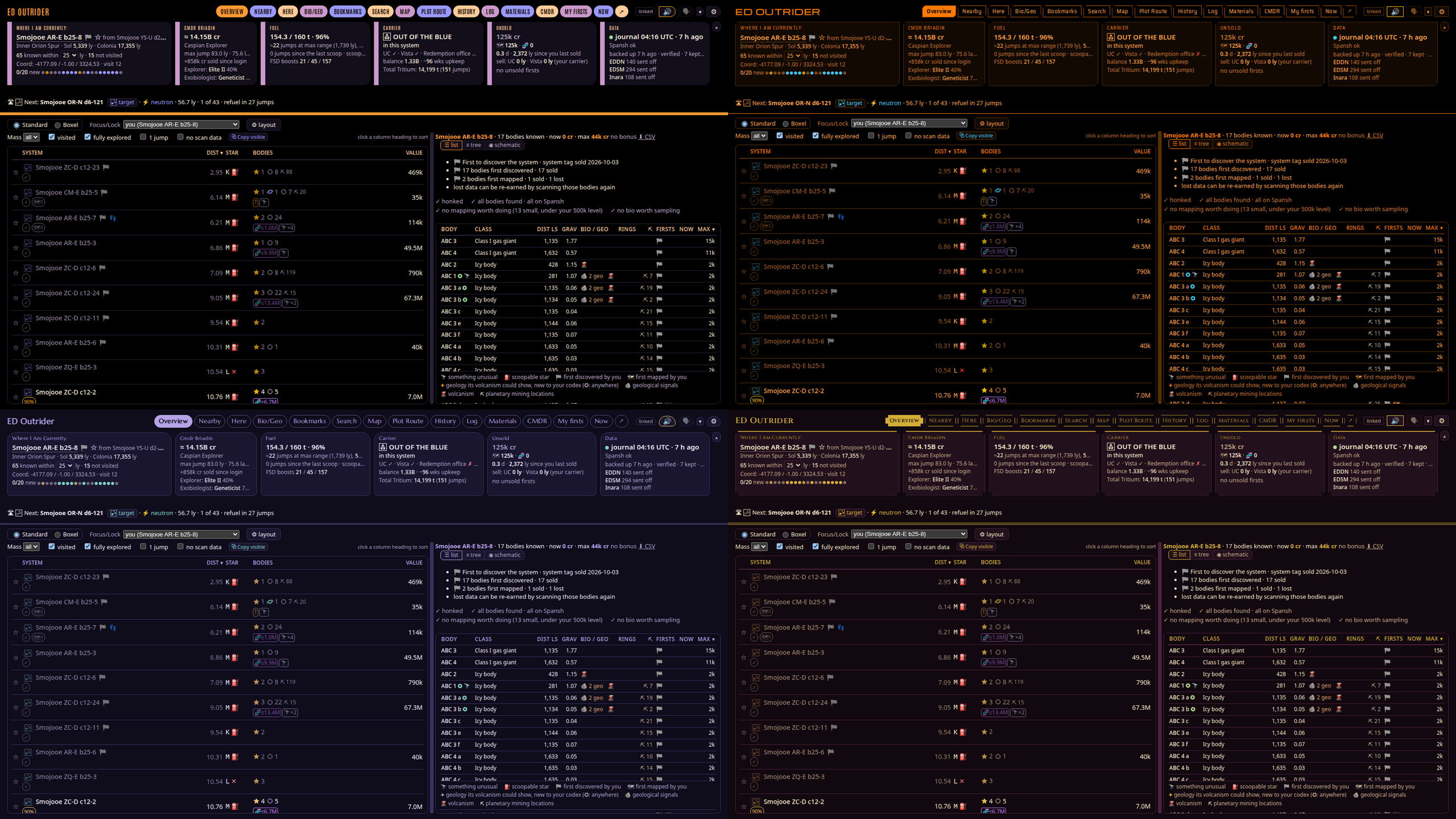
ED Outrider is an exploration companion for Elite Dangerous. It runs on your own PC and reads your journals while you play, then shows what you need in a browser page and tells you out loud, in the voice and personality you choose. Put it on a second monitor, a tablet, or right over the game with the overlay. You don't need an account, and nothing gets sent anywhere unless you turn on EDDN, EDSM or Inara sharing yourself.
Before you jump
- It lists the known systems around you (25 ly by default, up to 50). If a star on the galaxy map isn't in the list, nobody has reported it yet.
- When you target a system it tells you if it's undiscovered, known but not fully scanned, or already done.
- Focus/Lock keeps the list centred on your destination, your carrier, your next stop or a system you lock, while you fly around it. Filter by mass code or systems with no scan data, and copy the names you see.
- Boxel mode lists the boxel you're in by number, so you can sweep it system by system. Click a system to see it in full, and a boxel is marked done by itself once you've run out of systems in it.
- Search by what a system holds: at least so many stars or planets of the kinds you tick (two Earth-likes in one system), or rings with two or more hotspots of a mineral.
- Catalogued sights within 500 ly, from EDAstro's Galactic Encyclopedia Catalog, are named on the page and marked in the list.
Routes
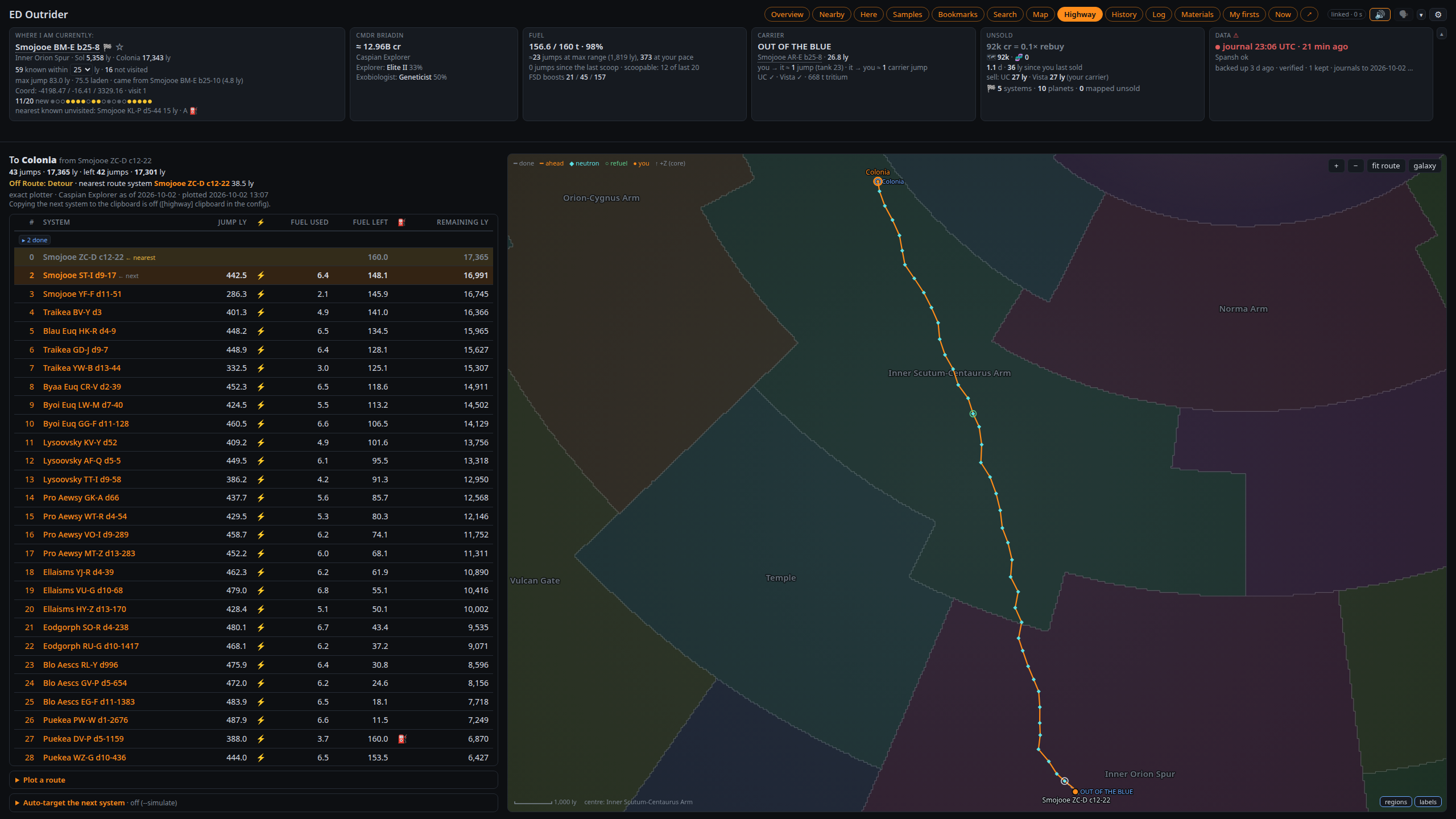
- Plots Neutron Highway, exact, Road to Riches, Exomastery, Earth-like, ammonia and terraformable world, and trade routes through Spansh, or a sweep through systems you tick, follows along as you fly, and can target the next jump for you. Exact routes can skip neutron stars if you'd rather not.
- Plans your fleet carrier's trip with Spansh's carrier router: the legs, the tritium each one burns, and where to top up the depot from the hold. Each system is one click from the carrier's galaxy map, and the Carrier tile follows the trip and counts down the cooldown.
- One click targets any system in the galaxy map: the next stop, a Nearby row, a bookmark, your carrier. There's also a one-click route to your carrier. The galaxy map's key steps are yours to edit in Settings, with a cheatsheet and a test button, and a route's next stop is targeted directly when it's one jump.
- Re-plot from where you are when you leave a route or change ship, see the time to go at your own pace, and get warned about permit-locked stops or a ship with no fuel scoop. A finished route clears itself when you jump on.
- The game's own plotted route is shown star by star: where your fuel runs out, the last scoopable star before a dry stretch, and a warning when you've targeted the wrong system. The Plotted route pane lists it system by system with what each one holds, how far along it is and how far from you.
- Need to sell or repair? It finds the nearest station or carrier with the services you want, your squadron's carrier included, and points out DSSA carriers.
- A paste button fills system names from the game PC's clipboard, handy on a touchscreen that never takes focus.
Arriving
- You get a short spoken briefing, and the star scan tells you right away if you're first.
- It speaks up when the FSS turns up something valuable, or a body that may hold a new Codex entry (a species or colour new to the region, or never logged), with its own setting.
In the system
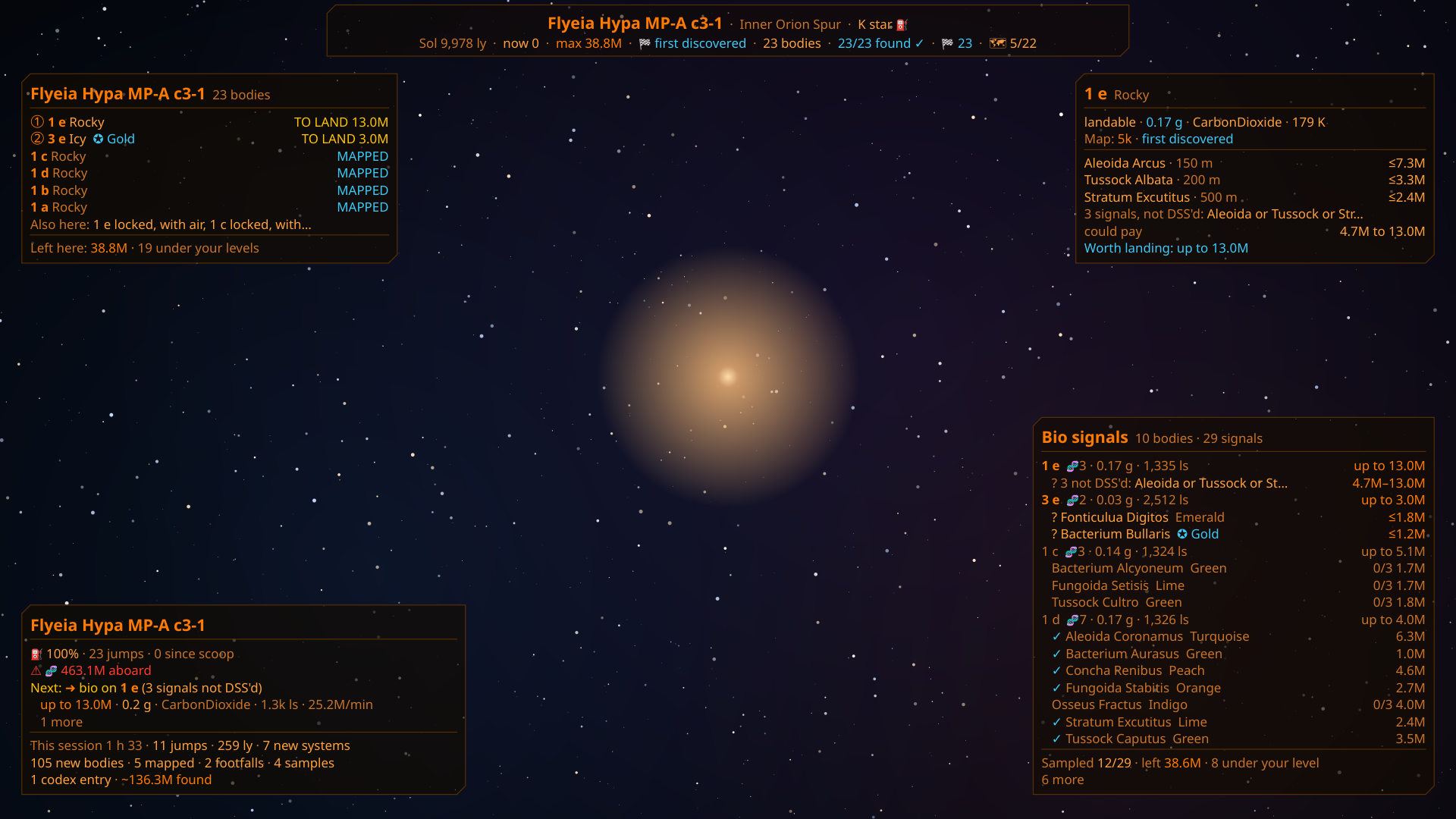
- Body values (now and fully scanned, bonuses included), signals, volcanism, rings and anything unusual, before you scan or land.
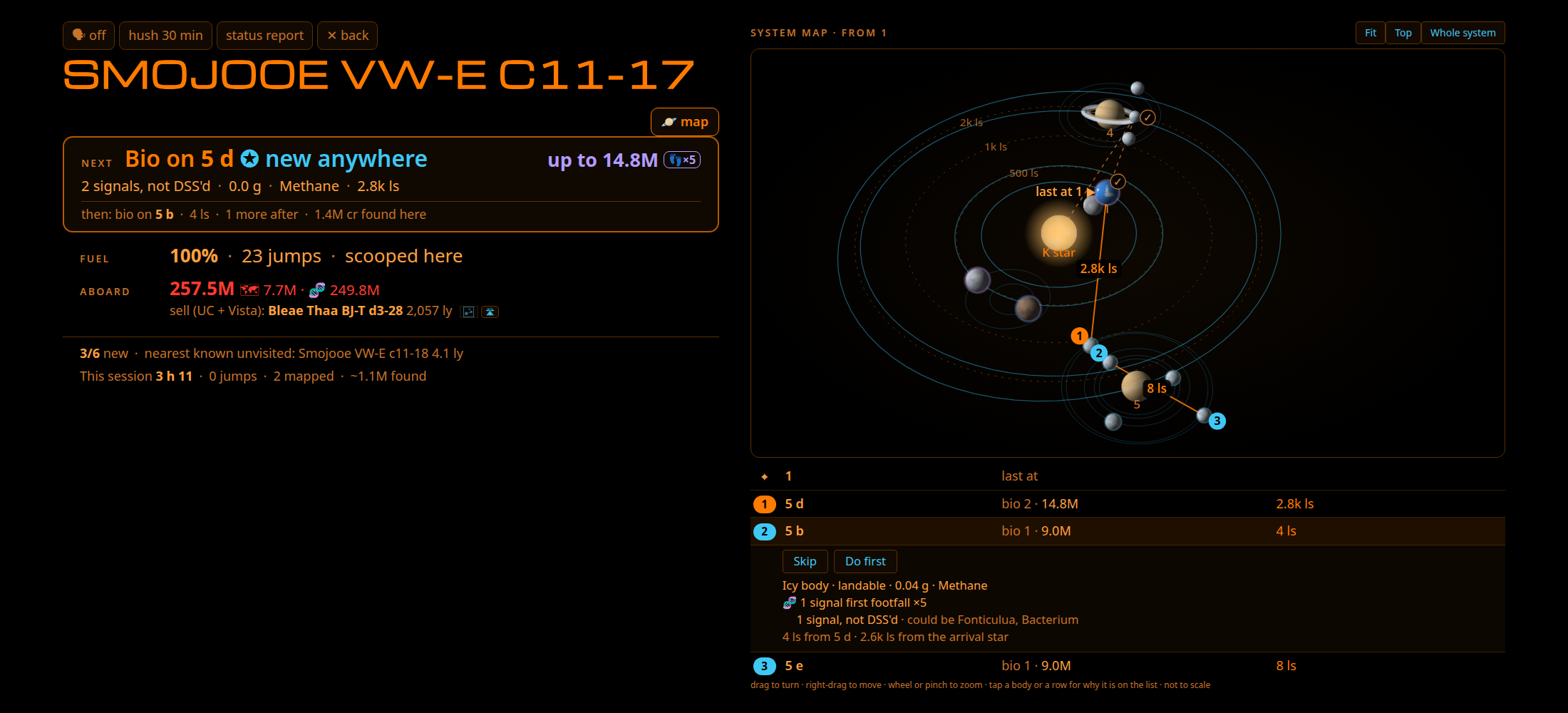
- A to-do list in the order that makes sense right now: each body's place on its orbit is worked out from your own scans, so the order goes body to body the short way, each leg in light seconds, with credits per minute. It re-plans from the body you're at, so you can skip the bodies that aren't worth the trip.
- A 3D system map of the system you're in, each body where it is on its orbit now, with the suggested order numbered on it and a trail of where you've been this visit. Tap a stop for why it's on the list (its mapping value with and without your bonuses, the likely species and what they pay), then Skip it or do it first.
- A moon's distance from what it orbits, beside its distance from arrival, and who first reported the system to EDSM.
- A system summary in Markdown, ready to paste into Reddit or Discord.
- If you target your next jump with something good still left behind, it lets you know.
- Pin points on a planet (a wreck, Guardian ruins, a good spot to come back to) by coordinates or where you stand, and the Navigator talks you in from orbit down to the spot. Guardian ruins and geology formations other commanders reported to Canonn are listed one tap from a pin, and picking something up at a Guardian or Thargoid site drops a pin there by itself.
Docking
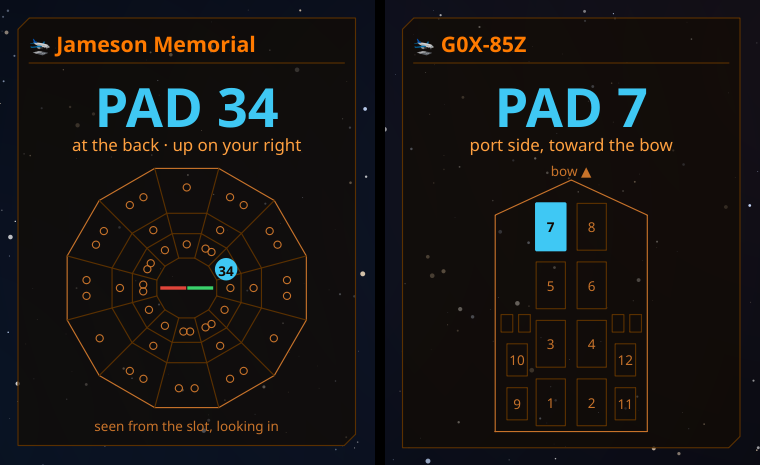
- Your landing pad is spoken and shown in large letters, with where it is at starports and carriers ("at the back, up on your right") and a diagram.
- It stays quiet when the docking computer takes over, and tells you why a station refused you when the game doesn't.
Exobiology
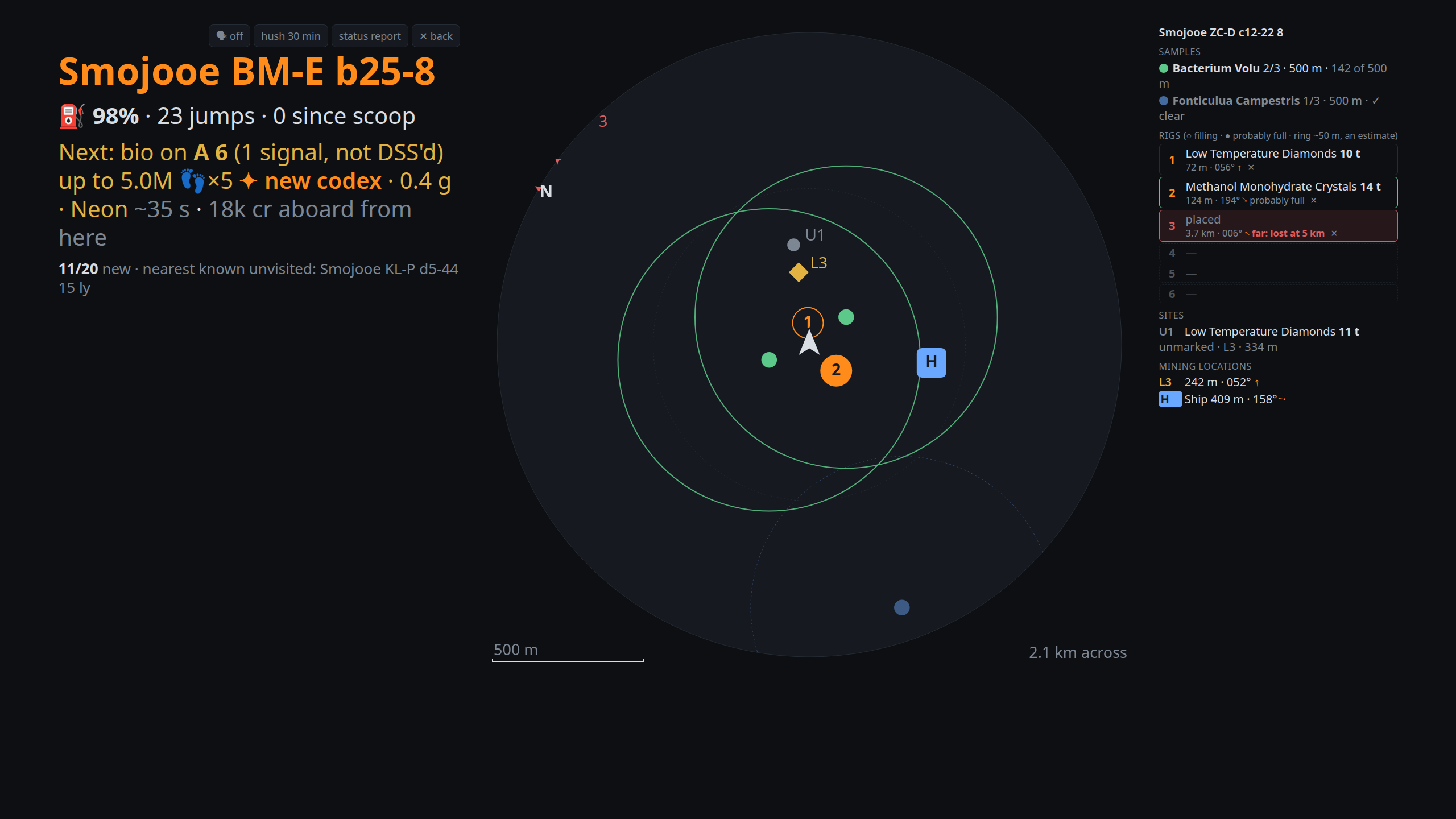
- Using BioScan's spawn rules, it guesses what each bio signal could be before you probe, what it would pay (first footfall x5 included), and whether it's new to your Codex.
- On the ground you get a surface map with your samples, colony distances, plants you've tagged with the composition scanner, your pins, your ship, and the trail of ground you've already covered on a compass grid. It zooms out to 50 km, species you've finished stay on it, and an Unscanned list shows the biology on the body you haven't touched yet. It warns you before you leave a half-finished sample run.
- Flying low between samples counts too: it tells you when you're clear to take the next one before you land.
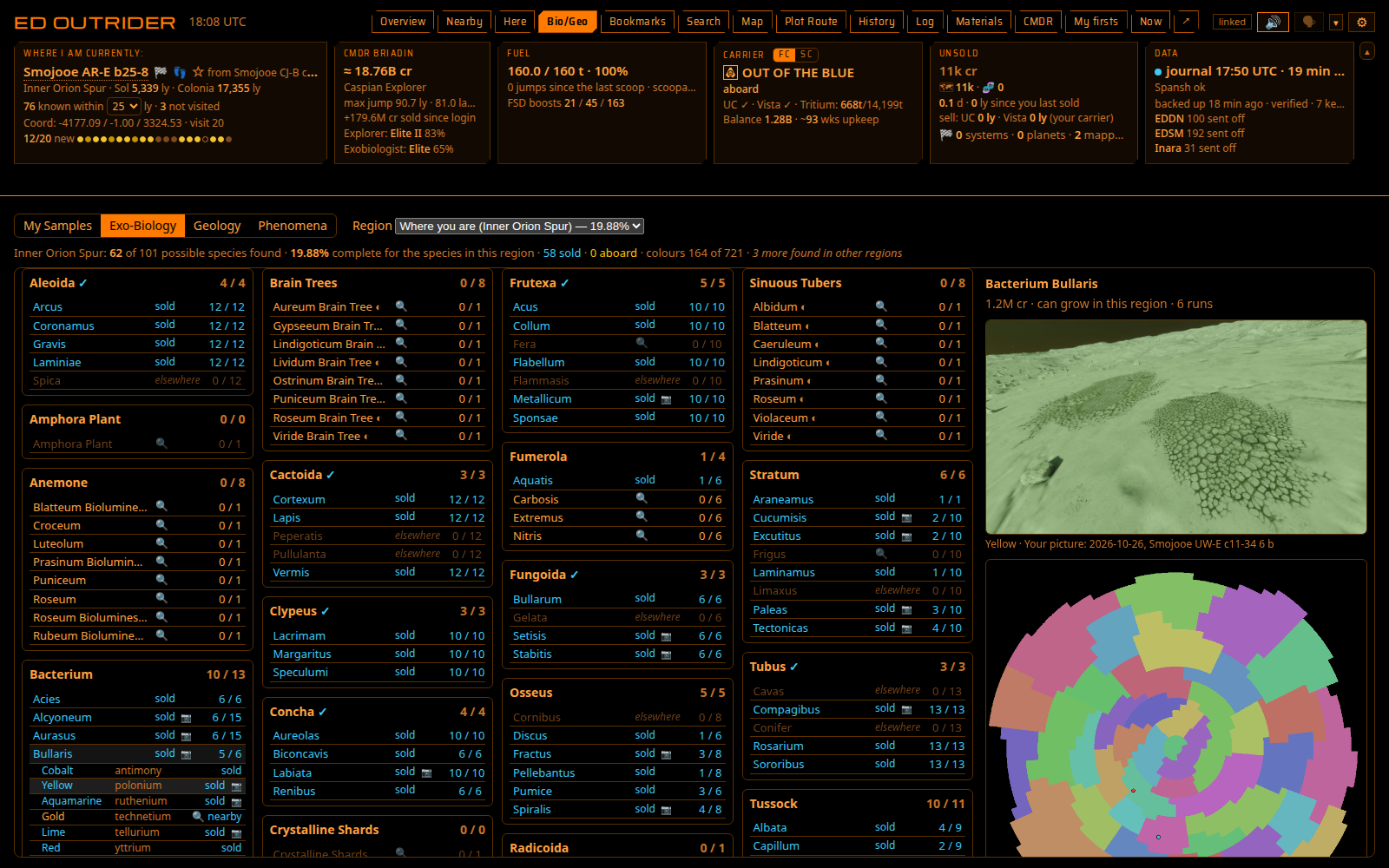
- Bio/Geo checklists show, region by region, which species and colours you've found, with your own pictures or Canonn's and a check mark when you finish a genus. There's a geology checklist too, and a sweep can be plotted to the nearby bodies for everything you're missing.
Screenshots
- Each screenshot (F10, or Alt+F10 for HighRes) is converted from the game's BMP to PNG, JPG or WebP as you take it, named after where you took it and filed in folders by commander and system, or your own pattern. The BMP is kept, deleted or moved.
- Medium and small copies to post, a crop of the same part of every shot, and one of them on the clipboard ready to paste (on Linux this needs xclip or wl-copy).
- A shot taken within 50 m of a plant you've sampled or tagged, or a geology formation you've scanned, knows what it shows. That goes in the file name and, with the system, body and position, into the picture itself.
- Tagged shots can also be saved into codex folders by species and colour (Biology/Osseus/Osseus Fractus/Indigo) or by formation, and the Bio/Geo checklists then show your own pictures in place of Canonn's. Any picture you put in those folders counts, and the Exobiologist (or the Science Officer, for geology) tells you when one is filed.
- Each body shows the shots you've taken there, and the control rail gets Hide UI, Screenshot and HighRes buttons.
Ring mining
- Tick the ring types you're after and the Mining Officer calls out the bodies that have them as the FSS resolves them. Hover a ring type for what lasers and cores give there.
- A reminder when you undock a mining ship without limpets (or how many you can synthesise from your materials), and prospector call-outs for the minerals and percentage you pick, motherlodes included, with "the best yet" when a rock beats every one before it this stint.
- While you mine: tons an hour, the hold, limpets left and minutes to full on screen and in the overlay, with a spoken warning before the hold fills and the best place to sell nearby (or the nearest buyer out in the black). When you leave or dock, a recap of what you refined and where it sells best.
- Every hotspot's record: your hit rate, best ship's tons an hour and credits an hour, so you know which rings to go back to. It's read out as you drop in at a hotspot you've mined before, and this stint's hits show as you go.
In-game overlay
- Optional panels drawn right over the game: the bodies worth your time, your target (also over the galaxy map), a surface radar with your trail and a compass, a system info strip with security and your reputation, a to-do panel, the system's bio signals, your alerts, and your landing pad while docking.
- Drag them where you want, resize them and set their transparency. Clicks pass through to the game, and the game keeps its mouse lock. One setting shrinks them all for a big screen, and panels can hide in combat, while docked or on foot.
Your commander
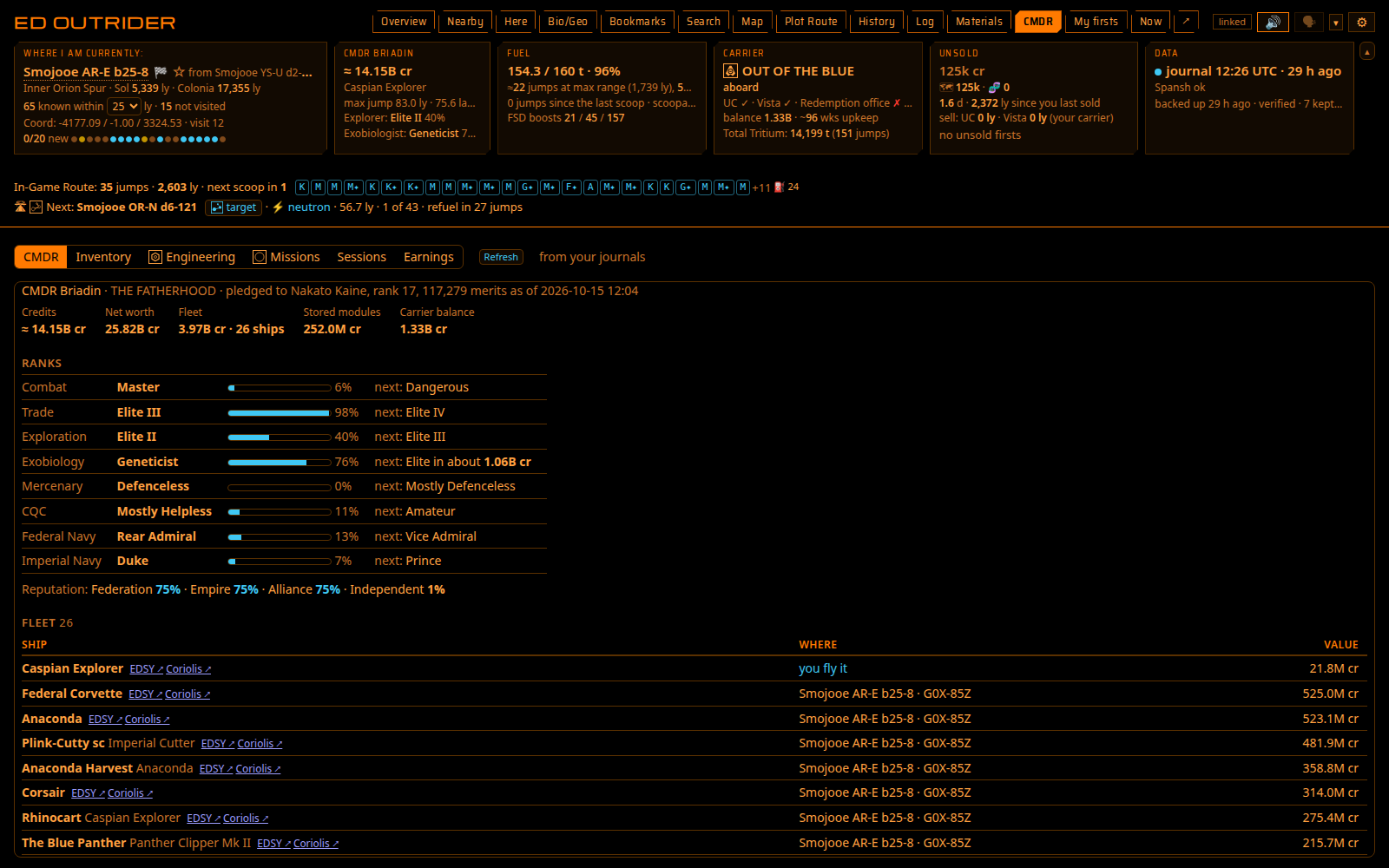
- A CMDR tab with your ranks and their progress, reputation, every ship with its build in EDSY and Coriolis (and a picture), your stored modules and ships with the station they're at, engineering against the materials you hold, missions (a massacre's kills counted), the Community Goals you joined, Powerplay merits this cycle, and sessions with the ship you fought or mined in.
- The bounty vouchers and combat bonds you hold, with where to hand them in. A bounty put on you is said with the nearest Interstellar Factors.
- Earnings: what exploration, exobiology and mining paid you, by month and year, with every sale, where you sold it and which ship you flew. You can export it all as a CSV.
Keeping track
- Your unsold data in credits, your first discoveries, your records (hottest, biggest, fastest spinning, farthest from Sol…) and the nearest places to sell. When data has been aboard too long, it names where to sell it, with a one-click route there.
- Cargo for your ship and your fleet carrier (tritium, its trip to you and your planned carrier trips), with a quick lookup for where to sell or buy, or the stations that pay most for your whole hold. The carrier's upkeep is counted down to today, with a warning when it runs low. Your squadron's carrier shows on the same tile.
- It watches systems you discovered for other commanders scanning them, and keeps a rescan list if you lose data with a ship: back in that system, it tells you which scans to redo and what they're worth.
- Fuel (with the seconds to a full tank while scooping), a history of trips between sales (the trip so far copies as Markdown), a 3D map of where you've been, and automatic journal backups.
Sharing
Off unless you turn it on. If you do, it sends your discoveries to EDDN and EDSM the same way EDMC does, biology samples included, keeps your Inara profile up to date, and can fill gaps in your EDSM flight log.
Voice, personalities and crew
- It talks to you with a natural Piper voice, or your browser's own voices if you'd rather, in eleven personalities: down to business, sarcastic and sweet, US Navy and Royal Navy, Vulcan, Ivanova, Good Ol' Boy, Southern Belle, Klingon and Scoundrel. That's over 70,000 lines between them, with swearing versions if you want them. You can edit any line, or add a personality of your own.
- Turn on the crew and the alerts are shared among nine crew members (XO, Navigator, Science, Exobiologist, Engineer, Quartermaster, Comms, Tactical and Mining), each with their own name, voice and personality: a Klingon at Tactical, a Vulcan in Science, a Scoundrel as Quartermaster. You know who is talking before the sentence ends.
- In quiet moments the crew can talk among themselves about their work, home and life before this ship. It's off by default, and you choose how often, from rare to non-stop.
- Comms can read other players' chat aloud (squadron, wing and direct messages), paced and private. It's off by default.
- Ask it out loud: "Hey Vespa, status report", "next stop", "where am I", "nearest Vista", "nearest scoopable star", "bookmark this system", "say that again", "show the map". An optional AI answers anything else from your game data.
Tablet
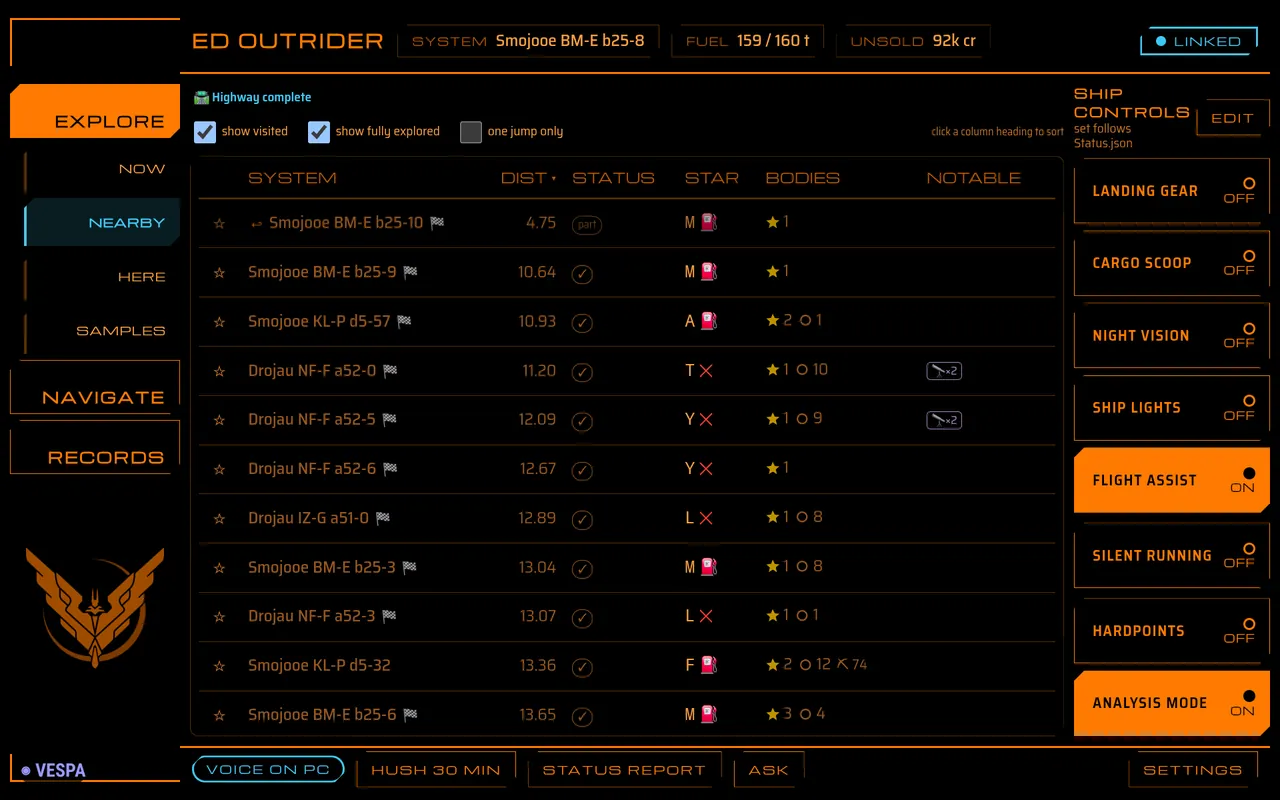
There's a touch layout at /tablet with eleven themes (LCARS, Elite HUD, Babylon 5, Star Wars and more) and buttons for in-game controls, plus an Android app you can wake with "Hey Vespa".
Running it on a server
- There's a Docker image: download two files, run docker compose up -d, and docker compose pull to update.
- Leave it running on a home server or NAS reading the game PC's journals over a network share, and your tablets and other PCs can always reach it.
- Other devices sign in with a password, and it tells you when there's a new version.
- An alt in the same journal folder? Pick the commander it follows from a list, and it stands down while the other one plays.
- The overlay, screenshots and anything that presses keys need Outrider running on the game PC itself.
Platforms
Built on Linux, so that's where it's best tested. Windows runs it with Python 3.11 or newer via launch_outrider.bat. Auto honk, auto-target, the control rail and screenshots are solid on Linux and experimental on Windows. The overlay works on Linux (X11, or Wayland through XWayland) and on Windows, with the game borderless or windowed.