One app. Your whole galaxy.
Elite Nexus is a free, open-source Windows companion for Elite Dangerous and Odyssey. It brings cockpit customisation, exploration, trading and commander tools together in one fast, native Rust application. Download the ZIP, unzip it and run EliteNexus.exe. No installer, browser engine or Elite Nexus account is required.
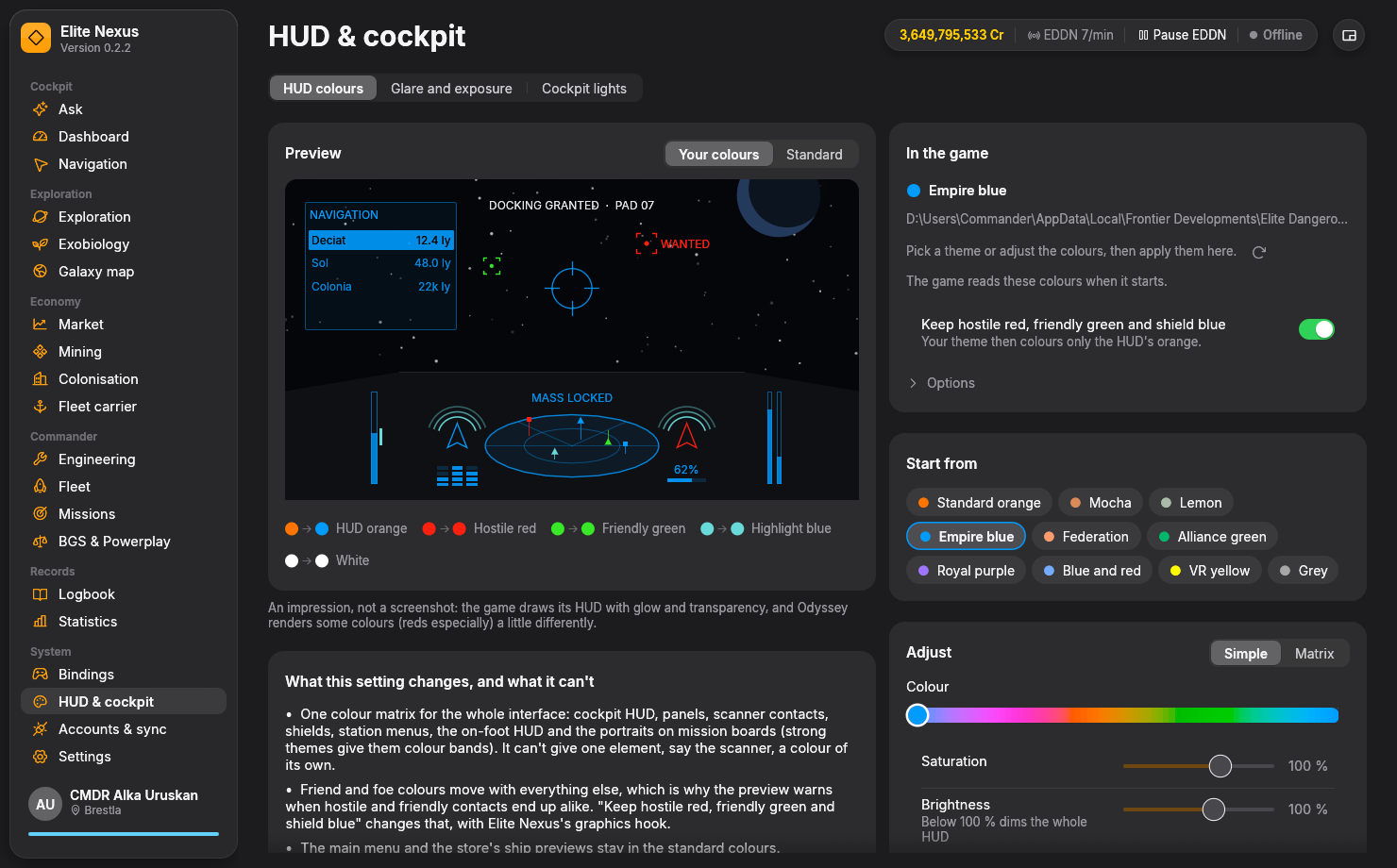
- HUD colours: Choose credited community themes or adjust colour, saturation, brightness and the colour matrix. Preview the cockpit before applying, with warnings when contacts become hard to distinguish. Optional colour protection keeps hostile contacts red, friendlies green and shields blue.
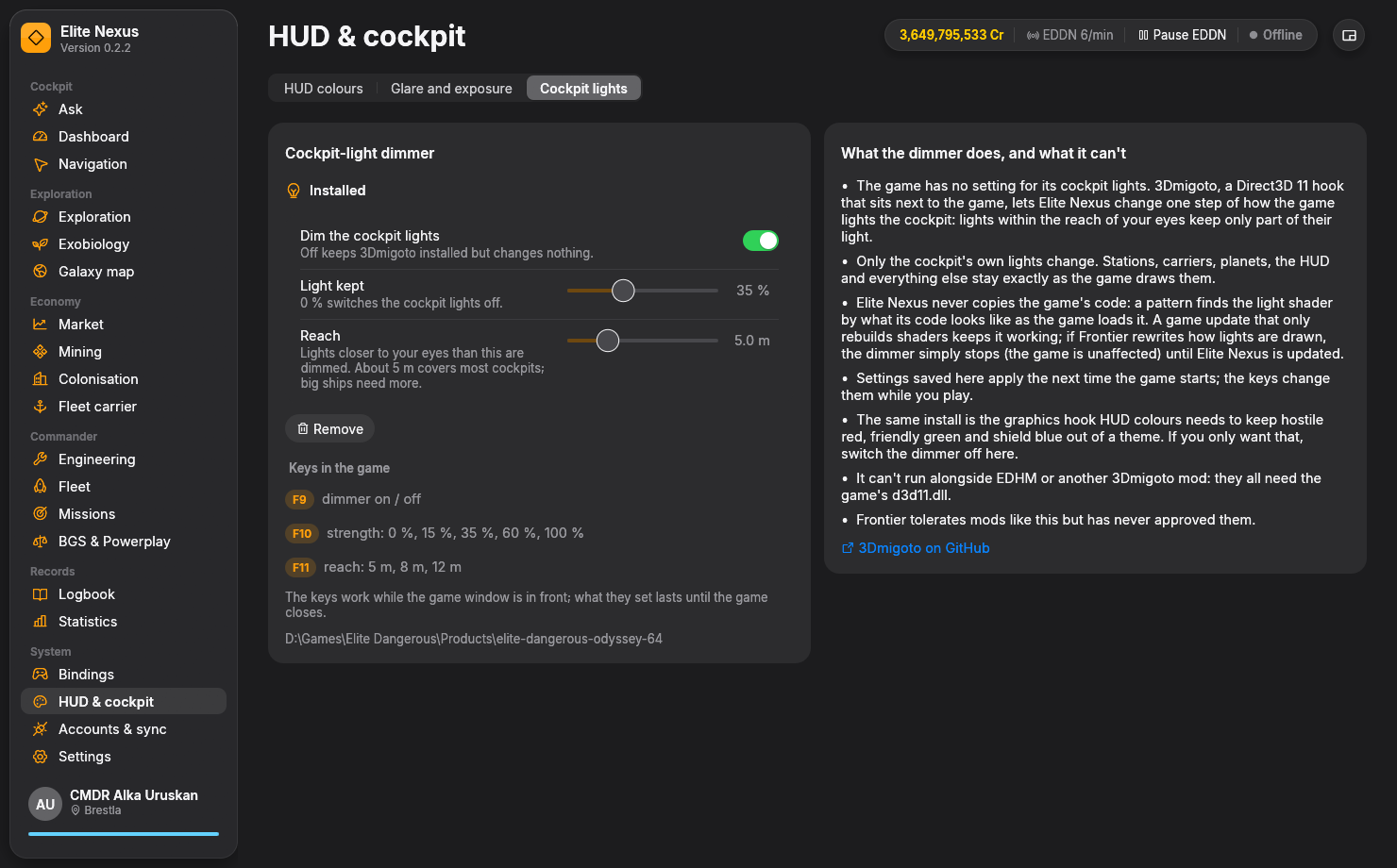
- Cockpit lights: Dim the cockpit's own lamps and glow. Use F9/F10/F11 during flight to toggle the dimmer and adjust how much light stays and its reach.
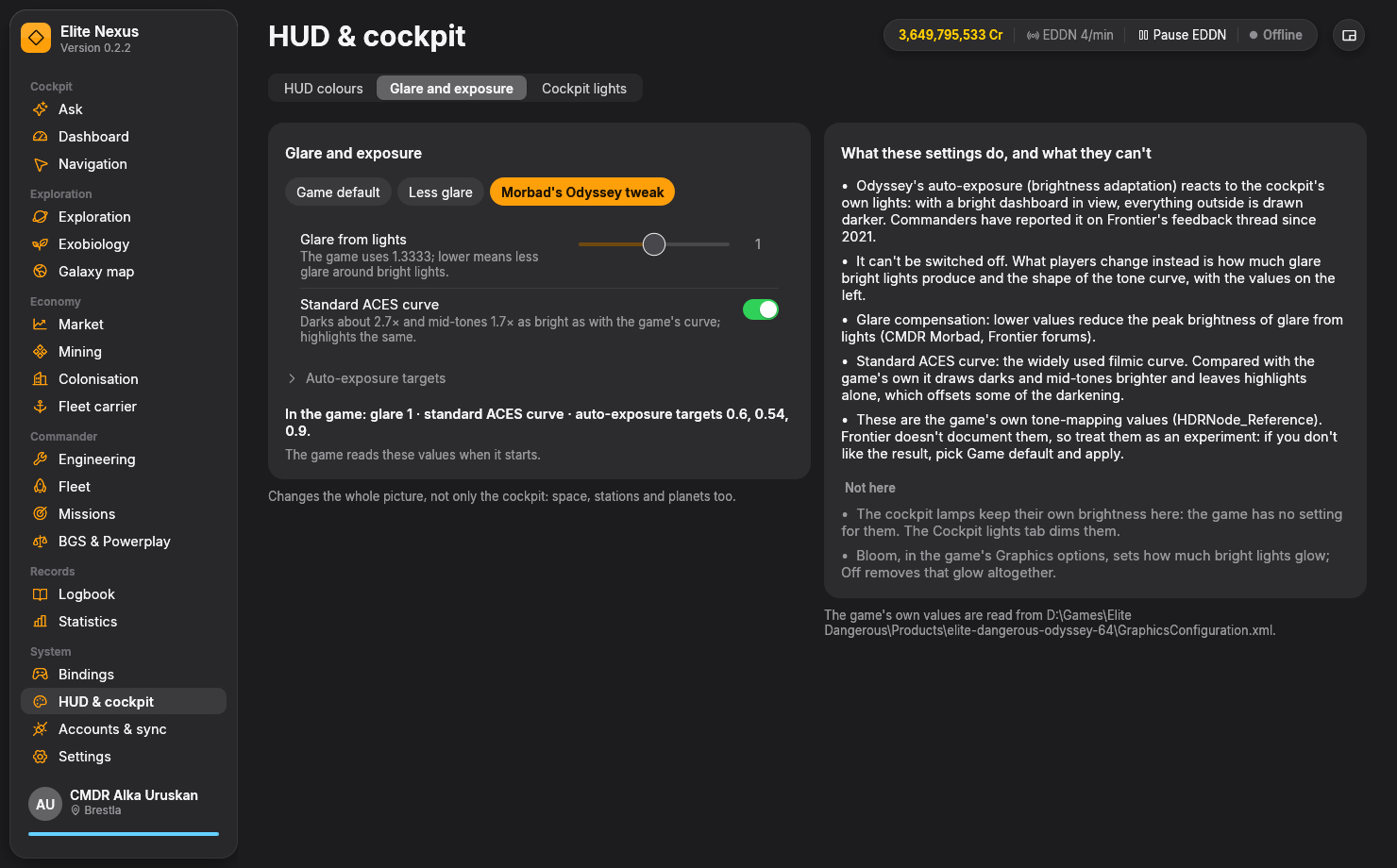
- Glare and exposure: Tame Odyssey's glare and lift dark detail with tone-mapping controls, community presets and a return to game defaults.
- Exploration: Compare scan and mapped values, identify notable bodies and bio/geo signals, plan valuable-body tours, track unsold discoveries and browse exploration history and Codex records.
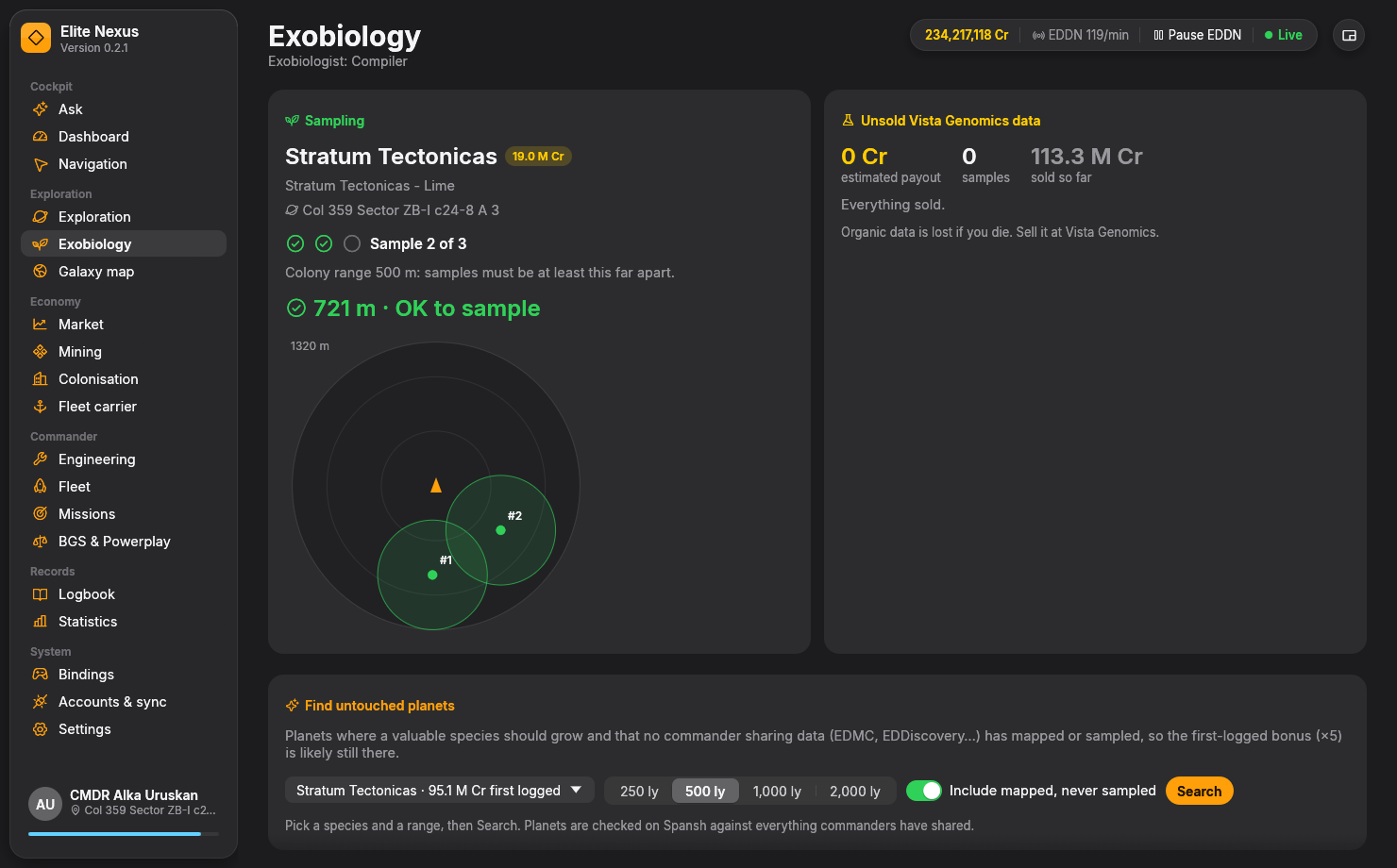
- Exobiology: A live sampling radar shows previous sample locations, colony-range circles and whether you are far enough away to sample again. Predict species before landing, track unsold Vista Genomics data, hunt potential first-logged bonuses or tour already recorded valuable species. Bonus prospects are leads, not guarantees.
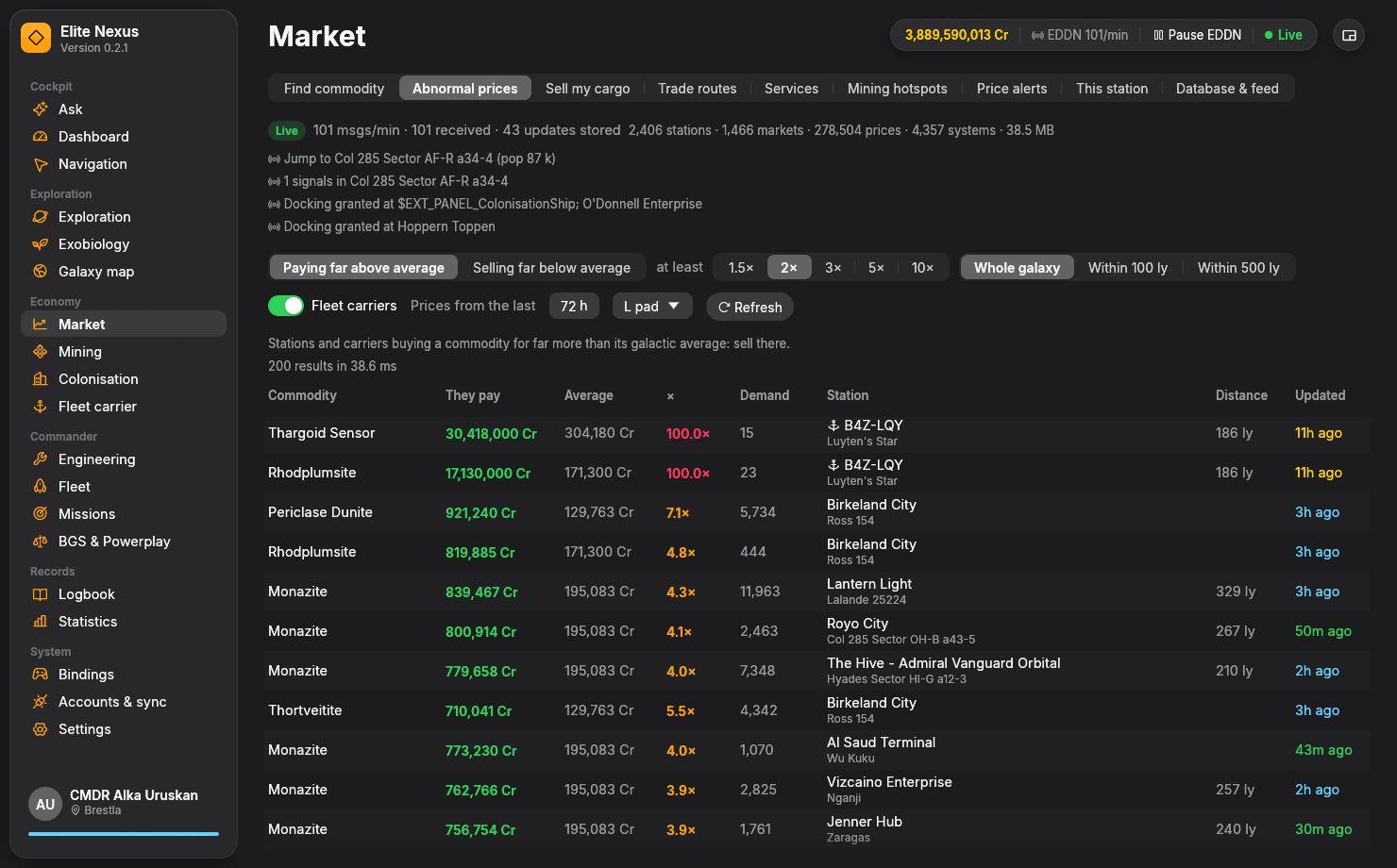
- Trading and mining: Live EDDN prices feed a local market database alongside your journal and optional Spansh imports. Find commodities, sell your whole cargo at one stop, plan trade routes for your ship and capital, spot abnormal prices and set price alerts. Find nearby services and mining hotspots; track mining sessions, tonnes per hour, prospectors and motherlodes.
- Navigation: Built-in Spansh neutron, exact-ship and fleet-carrier planners, plus exploration and biology tours. Follow scoopable-star and route-hazard information, with the next system automatically copied after each jump.
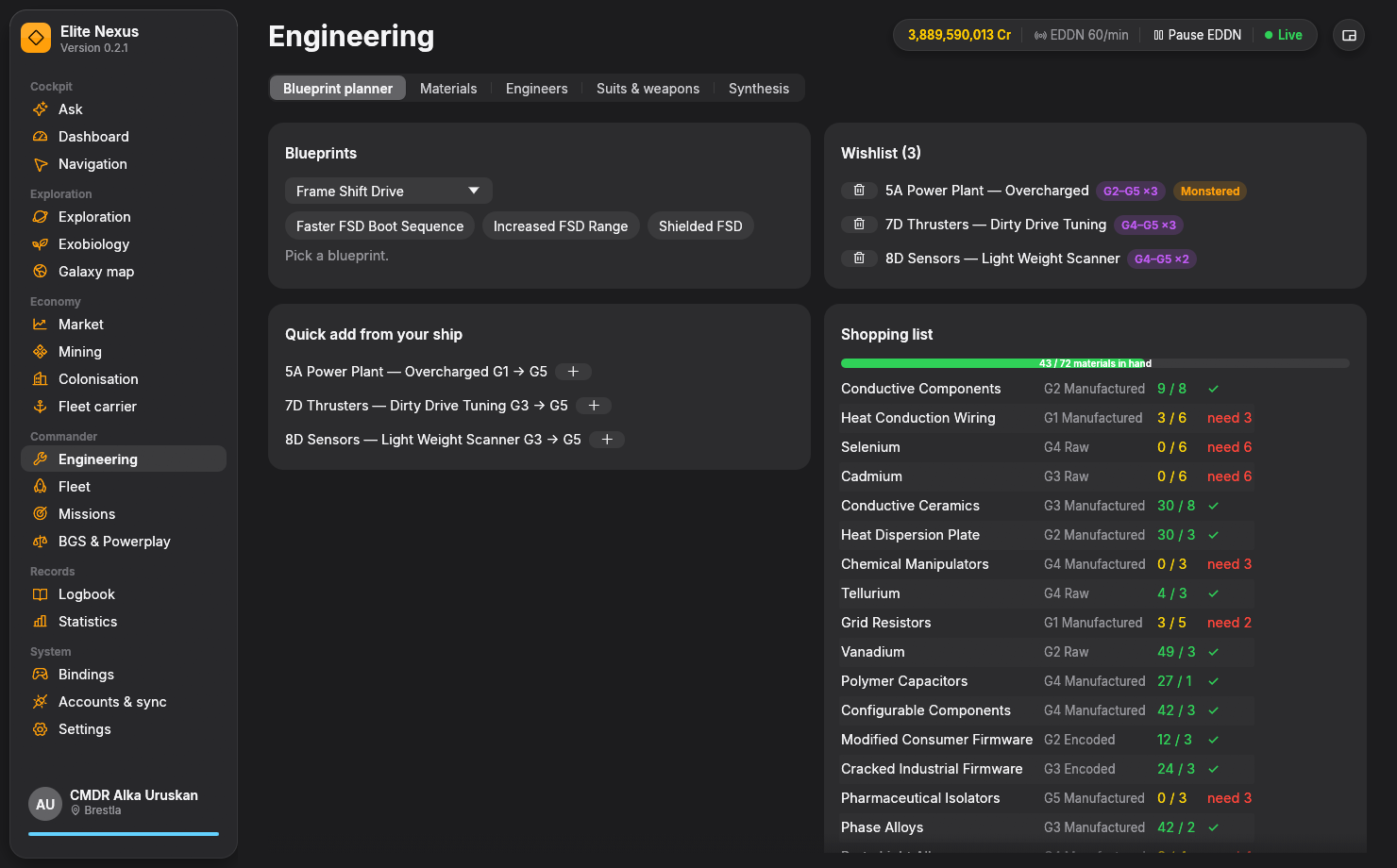
- Fleet and engineering: Inspect ships and engineered loadouts, then open exact builds in EDSY or Coriolis. Build blueprint wishlists, Grade 5 upgrade targets, material shopping lists and trader plans. Track engineers, Odyssey suits and weapons, synthesis and inventory.
- Commander operations: Follow active missions and massacre stacks, fleet-carrier resources and jumps, colonisation supplies and nearby sources, BGS and Powerplay activity. Inspect keybindings, conflicts and printable reference cards.
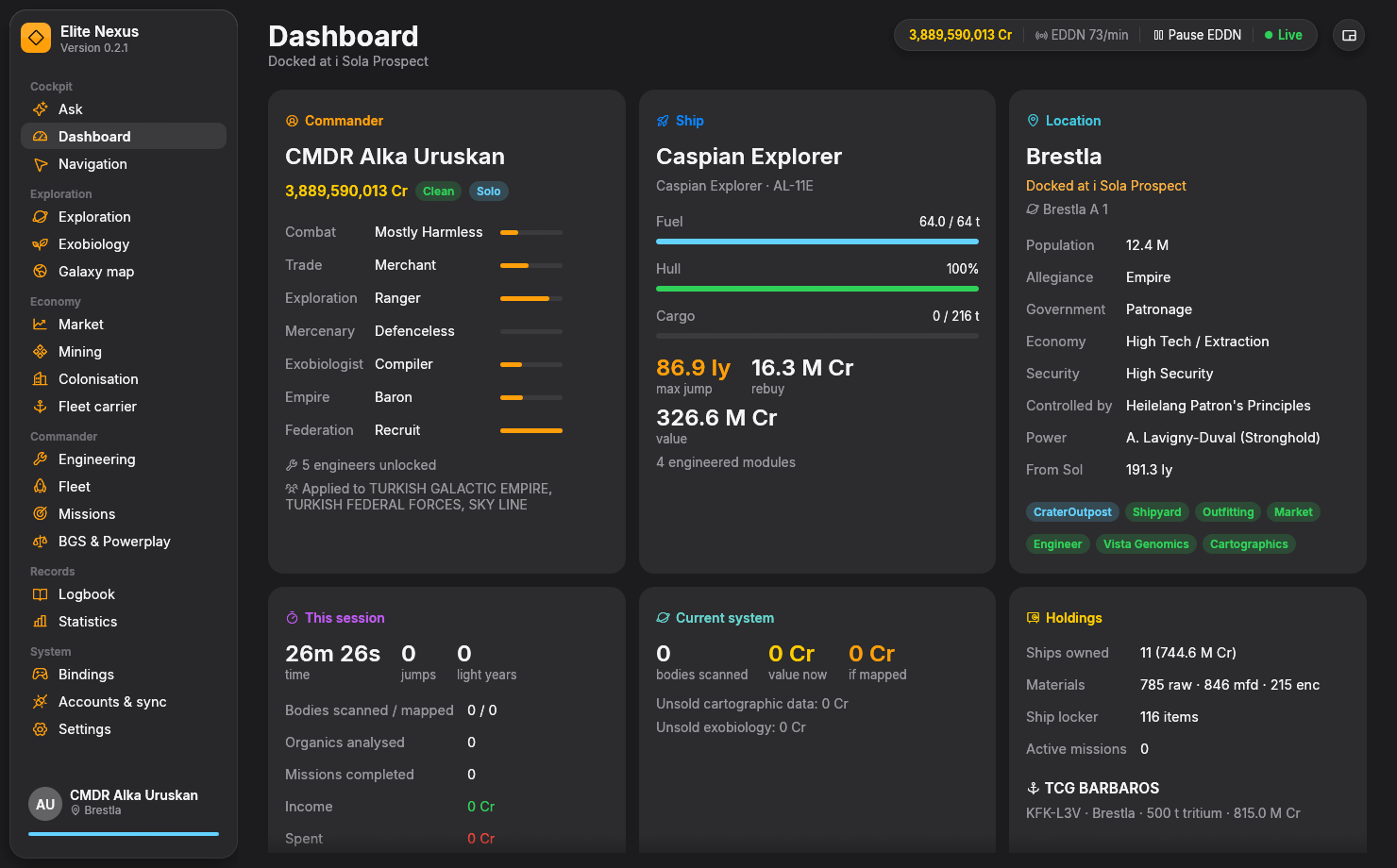
- Everyday flight support: Commander dashboard, session totals, searchable logbook, statistics and credit history, galaxy travel map, Windows speech and on-screen alerts, and a compact always-on-top HUD.
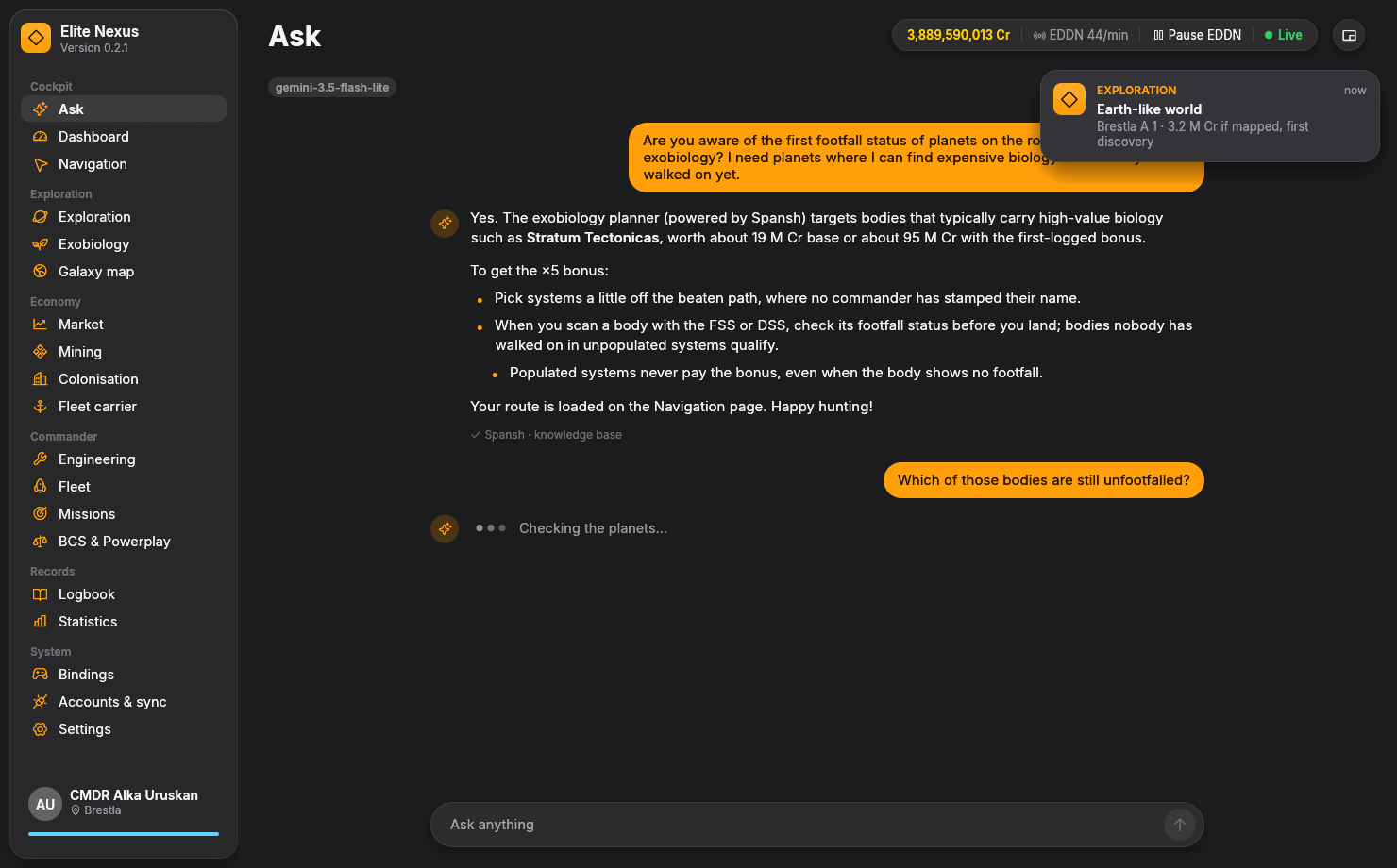
- Optional AI co-pilot: Ask about cargo, routes, markets or biology using tools connected to your commander state, journal, market database and Spansh. Choose Gemini, Claude or a tool-capable local model. The other tools work without AI setup.
Your data, your choices. Journals are read-only. EDDN, EDSM, Inara and EDAstro uploads are individually opt-in and send live events, never a backfill of journal history. API keys are encrypted with Windows DPAPI. Cloud AI sends questions and relevant context to your chosen provider.
Requirements: Windows 10/11, 64-bit, and Elite Dangerous PC journals. HUD colour protection and cockpit dimming use the optional 3Dmigoto hook, which cannot run alongside EDHM or another 3Dmigoto mod. Ordinary HUD themes and glare settings use the game's configuration. Glare adjustments do not disable auto-exposure. The compact HUD is a separate desktop window; voice features are spoken alerts.
Free software under GPL-3.0-or-later. An unofficial community tool, not affiliated with or endorsed by Frontier Developments.